Yep, we may get a tiny thank-you (read: commission) when you buy through
links on Healthspotr — not enough for a yacht, but enough to keep the lights (and
servers) on.
Learn more
32
Highlights
63
Differences
6
Reactions
0
Likes
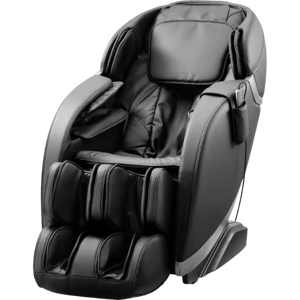
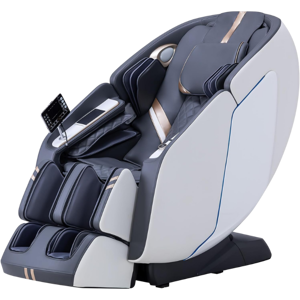
Insignia 2D Zero Gravity
vs
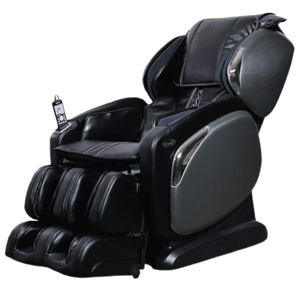
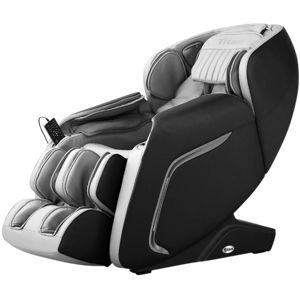
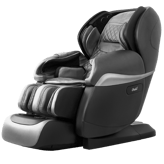
Osaki OS-4000CS:
32 Highlights & 63 Differences —
So, Which Massage Chair Actually Works Better
The Osaki model delivers a high-end massage experience, while Insignia focuses on value and essential functions.
From wellness monitoring to daily comfort, Insignia 2D Zero Gravity vs Osaki OS-4000CS dives into key differences that matter for everyday health.
Insignia 2D Zero Gravity vs Osaki OS-4000CS: A Deep Dive Into Two Zero Gravity Massage Chairs
When it comes to full-body relaxation, both the Insignia 2D Zero Gravity and the Osaki OS-4000CS massage chairs strive to take your comfort to the next level. These models share fundamental features such as padded armrests, extendable leg rests, high-density foam cushions, and PU leather upholstery, which promise ergonomic seating and durability. Both chairs also include zero gravity positioning, heat therapy for the back, air compression with three intensity levels, and synchronized vibration features targeting multiple body zones.
However, their mechanical design, massage technology, connectivity, and pricing reveal notable contrasts worth exploring. The Insignia 2D opts for a simpler, lighter, and more budget-friendly approach with 2D rollers and adjustable intensity. At the same time, the Osaki OS-4000CS offers a robust, advanced 4D massage experience across an extended SL-track and enhanced connectivity options, reflected in its significantly higher price tag. Let's unpack what makes each chair distinct and which one might fit your relaxation style best.
Unpacking the Strengths of the Insignia 2D Zero Gravity
The Insignia 2D Zero Gravity massage chair appeals especially to those looking for an efficient, space-conscious massage companion without breaking the bank. It supports a user weight capacity of 330 lbs, a slight edge over the Osaki's 300 lbs, and remains more compact and lightweight at 187.4 pounds, facilitating easier placement and handling.
This chair's massage mechanism features an advanced 2D roller system that delivers shiatsu and kneading massage types along an S-track. While not as advanced as 4D technology, this offers a solid depth and variation for muscle relief.
Unique to the Insignia is its support for backrest speed control and an automatic position memory, which lets users save their preferred reclining positions for personalized comfort. These customizable adjustments enhance convenience and user control.
The insulation and heating function are powered by carbon fiber heating elements that focus heat specifically on the back (heat therapy function), complemented by synthetic leather airbags that supply air compression across three levels of intensity. Additionally, the chair offers synchronized vibration across the seat, targeting the upper back, lower back, legs, and feet.
With power consumption set at a modest 115 Watts and two massage motors, the Insignia's operation is energy-efficient but sturdy enough to recreate a soothing massage atmosphere.
Finally, this chair is a breeze to set up, needing around 20 minutes for partial assembly, helping you dive into relaxation faster. For just $799.99 at Best Buy, it's a compelling choice for budget-conscious consumers who prioritize fundamental zero gravity massage features.
Why Osaki OS-4000CS Commands Attention in the Premium Massage Chair Realm
The Osaki OS-4000CS champions a premium massage experience that's hard to overlook if you seek a dynamic and diverse relaxation tool. It boasts a more substantial weight at 226.6 pounds and includes foldable dimensions for storage, a feature not available on the Insignia. It still accommodates a height range of 5'0\" to 6'2\", making it fit for most adult users.
The signature of Osaki is its massage technology with 4D rollers gliding over an extensive SL-track that contours from the neck down to the thighs for comprehensive coverage. This mechanism offers a variety of massage techniques, including kneading, tapping, rolling, and shiatsu, to replicate a more authentic human massage feel.
Adjustability-wise, it offers position lock and manual recline but lacks the backrest speed control and automatic position memory found on the Insignia.
Connectivity is another highlight; with integrated Bluetooth, users can pair their devices, potentially enabling music or guided meditation sessions.
The Osaki covers all expected comfort bases with padded armrests, ergonomic seating, extendable leg rests, and synthetic leather airbags supporting 3 air compression levels. It extends its vibration function to the seat area, additionally offering a fuller body experience.
Its upholstery is rugged too, rated for 100,000 cycles compared to Insignia's 20,000, and it comes with a reassuring 3-year limited warranty vs. the Insignia's 1-year.
Potential users should note the higher price brackets of $2111.43 to $2599 at $2111.43-$2599 at Sam's Club, making the Osaki OS-4000CS a premium investment in home wellness.
Quick Take
The Insignia 2D Zero Gravity impresses with its accessibility, user-friendly controls, including backrest speed adjustments, and automatic position recalling, all wrapped up in a lighter and more affordable package. On the other hand, the Osaki OS-4000CS shines with its sophisticated 4D rollers on an extended SL-track, Bluetooth connectivity, and durable upholstery backed by a longer warranty, ideal for those prioritizing a comprehensive massage and long-term reliability.
Bottom Line
Choosing between these two depends largely on budget and desired features. Opt for the Insignia 2D Zero Gravity if you want a smart, cost-effective zero gravity chair with essential features and thoughtful customization. However, if you're willing to invest more for a richer massage variety, enhanced technology, and durability, the Osaki OS-4000CS emerges as the superior contender.
Verdict
Winner: Osaki OS-4000CS - Offers advanced 4D massage, extensive SL-track coverage, Bluetooth connectivity, and superior warranty and durability that justify its premium price.
Runner-up: Insignia 2D Zero Gravity - A budget-friendly, lightweight zero gravity chair with straightforward controls, backrest speed control, and automatic position memory for everyday relaxation.
Side by side. The numbers. The features. No drama.
Specs are only half the story. We added real user insight, practical pros & cons, and details that might just surprise you between Insignia 2D Zero Gravity and Osaki OS-4000CS.
The Insignia 2D Zero Gravity was released in 2020 compared to Osaki OS-4000CS's 2019 release. This suggests the Insignia might have a slightly newer design or updated features.
The year the chair was first released, showing product recency.
In the battle of Release Year,
Insignia 2D Zero Gravity ◉ is
same as
Osaki OS-4000CS ◉
.
Don’t keep it to yourself — be the first to react and review the
Release Year on Insignia 2D Zero Gravity ◉
vs Osaki OS-4000CS ◉ and help others decide!
User Weight Capacity
What is the maximum user weight capacity?
330
lbs
1Votes
300
lbs
0Votes
vs
User Weight Capacity
The User Weight Capacity is 330 lbs for the Insignia 2D Zero Gravity versus 300 lbs for the Osaki OS-4000CS. With 30 lbs more capacity, the Insignia model better accommodates heavier users, offering more robust support.
The maximum user weight supported by the chair structure.
In the battle of User Weight Capacity,
Insignia 2D Zero Gravity ◉ is
better than
Osaki OS-4000CS ◉
, delivering
higher
30.0 lbs
measurement.
Based on community votes for User Weight Capacity,
Insignia 2D Zero Gravity ◉ earned
1 votes,
more than
Osaki OS-4000CS ◉,
which got 0 votes.
The weight capacity on the Insignia 2D Zero Gravity is higher which I find pretty reassuring for bigger users so I prefer it.
See more
Product Type
What type of massage chair is this?
0
Insignia 2D Zero Gravity
0Votes
Zero Gravity
0
Osaki OS-4000CS
0Votes
Full Body
vs
Product Type
The Insignia 2D Zero Gravity is categorized as a Zero Gravity product, while the Osaki OS-4000CS is a Full Body type. This means the Insignia focuses on positioning benefits, while Osaki targets comprehensive full-body massage.
Defines the general classification of the massage chair based on its design and coverage area.
In the battle of Product Type,
Insignia 2D Zero Gravity ◉ is
same as
Osaki OS-4000CS ◉
.
Don’t keep it to yourself — be the first to react and review the
Product Type on Insignia 2D Zero Gravity ◉
vs Osaki OS-4000CS ◉ and help others decide!
Series
What is the chair’s series or model line?
0
Insignia 2D Zero Gravity
0Votes
2D Zero Gravity
0
Osaki OS-4000CS
0Votes
OS-4000CS
Identifies the marketing series or product line to which the model belongs.
In the battle of Series,
Insignia 2D Zero Gravity ◉ is
same as
Osaki OS-4000CS ◉
.
Don’t keep it to yourself — be the first to react and review the
Series on Insignia 2D Zero Gravity ◉
vs Osaki OS-4000CS ◉ and help others decide!
Model Number
What is the model number?
0
Insignia 2D Zero Gravity
0Votes
NS-MGC20BK1
0
Osaki OS-4000CS
0Votes
OS 4000CS
The manufacturer’s reference code for identification or warranty registration.
In the battle of Model Number,
Insignia 2D Zero Gravity ◉ is
same as
Osaki OS-4000CS ◉
.
Don’t keep it to yourself — be the first to react and review the
Model Number on Insignia 2D Zero Gravity ◉
vs Osaki OS-4000CS ◉ and help others decide!
Country of Origin
Where was the chair made?
0
Insignia 2D Zero Gravity
0Votes
China
0
Osaki OS-4000CS
0Votes
China
vs
Country of Origin
Both the Insignia 2D Zero Gravity and Osaki OS-4000CS are made in China, indicating similar manufacturing origin and possibly comparable materials and quality standards.
Indicates where the chair was manufactured or assembled.
In the battle of Country of Origin,
Insignia 2D Zero Gravity ◉ is
same as
Osaki OS-4000CS ◉
.
Don’t keep it to yourself — be the first to react and review the
Country of Origin on Insignia 2D Zero Gravity ◉
vs Osaki OS-4000CS ◉ and help others decide!
Intended User Height Range
What is the supported user height range?
0
Insignia 2D Zero Gravity
0Votes
5'0"-6'2"
0
Osaki OS-4000CS
0Votes
5'0"-6'2"
vs
Intended User Height Range
Both Insignia 2D Zero Gravity and Osaki OS-4000CS support users within the height range of 5'0
Indicates the supported height range for optimal massage coverage.
In the battle of Intended User Height Range,
Insignia 2D Zero Gravity ◉ is
same as
Osaki OS-4000CS ◉
.
Don’t keep it to yourself — be the first to react and review the
Intended User Height Range on Insignia 2D Zero Gravity ◉
vs Osaki OS-4000CS ◉ and help others decide!
31 inch is 78.74 cm, the backrest height providing upper-back and shoulder coverage for the massage rollers.
A taller backrest can better support taller users.
The total height of the backrest section.
In the battle of Backrest Height,
Insignia 2D Zero Gravity ◉ is
same as
Osaki OS-4000CS ◉
, delivering
equal
31.00 inch
measurement.
Don’t keep it to yourself — be the first to react and review the
Backrest Height on Insignia 2D Zero Gravity ◉
vs Osaki OS-4000CS ◉ and help others decide!
Width
What is the chair’s width?
29.5
inch
0Votes
30.7
inch
0Votes
vs
Width
The chair width of Insignia 2D Zero Gravity is 29.5 inches, slightly less than the Osaki OS-4000CS at 30.7 inches. A narrower width might better fit smaller spaces, favoring the Insignia model.
The total side-to-side measurement of the chair in an upright position.
In the battle of Width,
Insignia 2D Zero Gravity ◉ is
worse than
Osaki OS-4000CS ◉
, delivering
lower
1.2 inch
measurement.
Don’t keep it to yourself — be the first to react and review the
Width on Insignia 2D Zero Gravity ◉
vs Osaki OS-4000CS ◉ and help others decide!
Depth
What is the chair’s depth?
59.06
inch
0Votes
63.4
inch
0Votes
Insignia 2D Zero Gravity
59.06 inch is 150.01 cm, representing the overall depth of the chair which is important for room placement.
Ensure you have sufficient clearance for reclining and use.
The front-to-back measurement when the chair is in a standard position.
In the battle of Depth,
Insignia 2D Zero Gravity ◉ is
worse than
Osaki OS-4000CS ◉
, delivering
lower
4.3 inch
measurement.
Don’t keep it to yourself — be the first to react and review the
Depth on Insignia 2D Zero Gravity ◉
vs Osaki OS-4000CS ◉ and help others decide!
Seat Width
What is the seat width?
20.07
inch
0Votes
21
inch
0Votes
Insignia 2D Zero Gravity
20.07 inch is 50.98 cm, representing the seat width and giving a sense of how much lateral room is available.
This width suits medium to larger body frames comfortably.
The width of the seat area where the user sits.
In the battle of Seat Width,
Insignia 2D Zero Gravity ◉ is
worse than
Osaki OS-4000CS ◉
, delivering
lower
0.9 inch
measurement.
Don’t keep it to yourself — be the first to react and review the
Seat Width on Insignia 2D Zero Gravity ◉
vs Osaki OS-4000CS ◉ and help others decide!
Seat Height
What is the seat height?
18
inch
0Votes
18
inch
0Votes
Insignia 2D Zero Gravity
18 inch is 45.72 cm, indicating the seat height from the floor which affects ease of sitting and standing.
This height is typical for recliner-style massage chairs.
The vertical distance from floor to seat surface.
In the battle of Seat Height,
Insignia 2D Zero Gravity ◉ is
same as
Osaki OS-4000CS ◉
, delivering
equal
18.00 inch
measurement.
Don’t keep it to yourself — be the first to react and review the
Seat Height on Insignia 2D Zero Gravity ◉
vs Osaki OS-4000CS ◉ and help others decide!
Armrest Height
What is the armrest height?
25
inch
0Votes
7
inch
0Votes
Insignia 2D Zero Gravity
25 inch is 63.50 cm, the armrest height which impacts arm support and overall seating ergonomics.
This height pairs with the seat and backrest to provide comfortable arm positioning.
The distance from floor to top of the armrest.
In the battle of Armrest Height,
Insignia 2D Zero Gravity ◉ is
better than
Osaki OS-4000CS ◉
, delivering
higher
18.0 inch
measurement.
Don’t keep it to yourself — be the first to react and review the
Armrest Height on Insignia 2D Zero Gravity ◉
vs Osaki OS-4000CS ◉ and help others decide!
Net Weight
What is the chair’s net weight?
187.4
lbs
0Votes
226.6
lbs
0Votes
vs
Net Weight
In terms of Net Weight, the Insignia 2D Zero Gravity weighs 187.4 lbs, making it lighter than the Osaki OS-4000CS, which weighs 226.6 lbs. The lighter weight of Insignia allows easier relocating and setup.
The total weight of the massage chair without packaging.
In the battle of Net Weight,
Insignia 2D Zero Gravity ◉ is
better than
Osaki OS-4000CS ◉
, delivering
lower
39.2 lbs
measurement.
Don’t keep it to yourself — be the first to react and review the
Net Weight on Insignia 2D Zero Gravity ◉
vs Osaki OS-4000CS ◉ and help others decide!
Height
What is the chair’s height?
38.4
inch
0Votes
47.2
inch
0Votes
The full height from base to top when upright.
In the battle of Height,
Insignia 2D Zero Gravity ◉ is
worse than
Osaki OS-4000CS ◉
, delivering
lower
8.8 inch
measurement.
Don’t keep it to yourself — be the first to react and review the
Height on Insignia 2D Zero Gravity ◉
vs Osaki OS-4000CS ◉ and help others decide!
Seat Depth
What is the seat depth?
20.07
inch
0Votes
20
inch
0Votes
The measurement from seat front to backrest.
In the battle of Seat Depth,
Insignia 2D Zero Gravity ◉ is
better than
Osaki OS-4000CS ◉
, delivering
higher
0.1 inch
measurement.
Don’t keep it to yourself — be the first to react and review the
Seat Depth on Insignia 2D Zero Gravity ◉
vs Osaki OS-4000CS ◉ and help others decide!
Folded Width
What is the folded width?
Who knows?
0Votes
Insignia 2D Zero Gravity
(Help us out by suggesting one!)
31
inch
0Votes
vs
Folded Width
Folded Width data is missing for Insignia 2D Zero Gravity, but Osaki OS-4000CS has a folded width of 31 inches, helping with compact storage options.
The width of the chair when folded or reclined for storage.
Don’t keep it to yourself — be the first to react and review the
Folded Width on Insignia 2D Zero Gravity ◉
vs Osaki OS-4000CS ◉ and help others decide!
Folded Depth
What is the folded depth?
Who knows?
0Votes
Insignia 2D Zero Gravity
(Help us out by suggesting one!)
59
inch
0Votes
vs
Folded Depth
Folded Depth dimensions are unavailable for the Insignia 2D Zero Gravity, whereas Osaki OS-4000CS folds to a depth of 59 inches. This is useful for space-saving concerns.
The depth of the chair when folded or reclined.
Don’t keep it to yourself — be the first to react and review the
Folded Depth on Insignia 2D Zero Gravity ◉
vs Osaki OS-4000CS ◉ and help others decide!
Folded Height
What is the folded height?
Who knows?
0Votes
Insignia 2D Zero Gravity
(Help us out by suggesting one!)
48
inch
0Votes
vs
Folded Height
Folded Height is not available for Insignia 2D Zero Gravity, but Osaki OS-4000CS offers a folded height of 48 inches. This makes Osaki potentially easier to store or transport when folded.
The height of the chair in a folded position.
Don’t keep it to yourself — be the first to react and review the
Folded Height on Insignia 2D Zero Gravity ◉
vs Osaki OS-4000CS ◉ and help others decide!
Design & Materials
11
Frame Material
What material is used for the frame?
0
Insignia 2D Zero Gravity
0Votes
Steel
0
Osaki OS-4000CS
0Votes
Steel
The primary structural material that supports the chair.
In the battle of Frame Material,
Insignia 2D Zero Gravity ◉ is
same as
Osaki OS-4000CS ◉
.
Don’t keep it to yourself — be the first to react and review the
Frame Material on Insignia 2D Zero Gravity ◉
vs Osaki OS-4000CS ◉ and help others decide!
Upholstery Material
What is the upholstery material?
0
Insignia 2D Zero Gravity
0Votes
PU Leather
0
Osaki OS-4000CS
0Votes
PU Leather
vs
Upholstery Material
PU Leather upholstery is standard for both Insignia 2D Zero Gravity and Osaki OS-4000CS, ensuring a similar level of aesthetic appeal and ease of cleaning.
The material covering the chair surface, affecting feel and maintenance.
In the battle of Upholstery Material,
Insignia 2D Zero Gravity ◉ is
same as
Osaki OS-4000CS ◉
.
Don’t keep it to yourself — be the first to react and review the
Upholstery Material on Insignia 2D Zero Gravity ◉
vs Osaki OS-4000CS ◉ and help others decide!
Cushion Type
What type of cushion is used?
0
Insignia 2D Zero Gravity
0Votes
High-Density Foam
0
Osaki OS-4000CS
0Votes
High-Density Foam
vs
Cushion Type
High-Density Foam cushions are used in both Insignia 2D Zero Gravity and Osaki OS-4000CS, promising firm, durable seating comfort.
The internal filling used for comfort and support.
In the battle of Cushion Type,
Insignia 2D Zero Gravity ◉ is
same as
Osaki OS-4000CS ◉
.
Don’t keep it to yourself — be the first to react and review the
Cushion Type on Insignia 2D Zero Gravity ◉
vs Osaki OS-4000CS ◉ and help others decide!
Seat Shape
What is the seat shape?
0
Insignia 2D Zero Gravity
0Votes
Ergonomic
0
Osaki OS-4000CS
0Votes
Ergonomic
vs
Seat Shape
Both models utilize an ergonomic seat shape, designed to support user posture and enhance relaxation effectively.
The contour style of the seat that affects posture and comfort.
In the battle of Seat Shape,
Insignia 2D Zero Gravity ◉ is
same as
Osaki OS-4000CS ◉
.
Don’t keep it to yourself — be the first to react and review the
Seat Shape on Insignia 2D Zero Gravity ◉
vs Osaki OS-4000CS ◉ and help others decide!
Armrest Type
What type of armrests does the chair have?
0
Insignia 2D Zero Gravity
0Votes
Padded
0
Osaki OS-4000CS
0Votes
Padded
vs
Armrest Type
Both Insignia 2D Zero Gravity and Osaki OS-4000CS feature padded armrests, offering similarly comfortable arm support during use.
Defines the configuration and comfort level of the armrests.
In the battle of Armrest Type,
Insignia 2D Zero Gravity ◉ is
same as
Osaki OS-4000CS ◉
.
Don’t keep it to yourself — be the first to react and review the
Armrest Type on Insignia 2D Zero Gravity ◉
vs Osaki OS-4000CS ◉ and help others decide!
Leg Rest Type
What type of leg rest is used?
0
Insignia 2D Zero Gravity
0Votes
Extendable
0
Osaki OS-4000CS
0Votes
Extendable
vs
Leg Rest Type
Both chairs have extendable leg rests, highlighting equal flexibility and comfort for users seeking leg elevation.
Describes how the leg rest operates or adjusts.
In the battle of Leg Rest Type,
Insignia 2D Zero Gravity ◉ is
same as
Osaki OS-4000CS ◉
.
Don’t keep it to yourself — be the first to react and review the
Leg Rest Type on Insignia 2D Zero Gravity ◉
vs Osaki OS-4000CS ◉ and help others decide!
Base Type
What is the chair’s base type?
0
Insignia 2D Zero Gravity
0Votes
Fixed
0
Osaki OS-4000CS
0Votes
Fixed
Indicates the design and movement capability of the base.
In the battle of Base Type,
Insignia 2D Zero Gravity ◉ is
same as
Osaki OS-4000CS ◉
.
Don’t keep it to yourself — be the first to react and review the
Base Type on Insignia 2D Zero Gravity ◉
vs Osaki OS-4000CS ◉ and help others decide!
Headrest Type
What is the headrest type?
0
Insignia 2D Zero Gravity
0Votes
Padded, Detachable
0
Osaki OS-4000CS
0Votes
Padded
Defines the adjustability and comfort of the headrest.
In the battle of Headrest Type,
Insignia 2D Zero Gravity ◉ is
same as
Osaki OS-4000CS ◉
.
Don’t keep it to yourself — be the first to react and review the
Headrest Type on Insignia 2D Zero Gravity ◉
vs Osaki OS-4000CS ◉ and help others decide!
Recline Type
What recline type does it have?
0
Insignia 2D Zero Gravity
0Votes
Manual
0
Osaki OS-4000CS
0Votes
Zero Gravity
Specifies how the chair reclines and the mechanism involved.
In the battle of Recline Type,
Insignia 2D Zero Gravity ◉ is
same as
Osaki OS-4000CS ◉
.
Don’t keep it to yourself — be the first to react and review the
Recline Type on Insignia 2D Zero Gravity ◉
vs Osaki OS-4000CS ◉ and help others decide!
Cover Removability
Are the covers removable?
No
0Votes
Insignia 2D Zero Gravity
No
0Votes
Osaki OS-4000CS
Indicates whether the outer covers can be removed for cleaning or replacement.
In the battle of Cover Removability,
Insignia 2D Zero Gravity ◉ is
same as
Osaki OS-4000CS ◉
.
Don’t keep it to yourself — be the first to react and review the
Cover Removability on Insignia 2D Zero Gravity ◉
vs Osaki OS-4000CS ◉ and help others decide!
Color Options
What color options are available?
0
Insignia 2D Zero Gravity
0Votes
Black
0
Osaki OS-4000CS
0Votes
Black,Ivory,Brown
Available upholstery colors for customization.
In the battle of Color Options,
Insignia 2D Zero Gravity ◉ is
same as
Osaki OS-4000CS ◉
.
Don’t keep it to yourself — be the first to react and review the
Color Options on Insignia 2D Zero Gravity ◉
vs Osaki OS-4000CS ◉ and help others decide!
The Insignia 2D Zero Gravity utilizes 2D massage rollers, compared to the Osaki OS-4000CS's advanced 4D rollers. The 4D rollers provide greater movement and deeper tissue massage, favoring Osaki.
The roller system type defining range and depth control.
In the battle of Massage Roller Type,
Insignia 2D Zero Gravity ◉ is
same as
Osaki OS-4000CS ◉
.
Don’t keep it to yourself — be the first to react and review the
Massage Roller Type on Insignia 2D Zero Gravity ◉
vs Osaki OS-4000CS ◉ and help others decide!
Who knows?
0Votes
Insignia 2D Zero Gravity
(Help us out by suggesting one!)
1.5
inch
0Votes
vs
Roller Size
Roller Size is unavailable for Insignia 2D Zero Gravity, while Osaki OS-4000CS features 1.5-inch rollers. This suggests a difference in massage coverage detail, favoring Osaki.
The approximate diameter of the massage rollers.
Don’t keep it to yourself — be the first to react and review the
Roller Size on Insignia 2D Zero Gravity ◉
vs Osaki OS-4000CS ◉ and help others decide!
Track Length
What is the roller track length?
29
inch
0Votes
30
inch
0Votes
Insignia 2D Zero Gravity
29 inch is 73.66 cm, the length of the massage track and an indicator of how much of the back the rollers can cover.
A longer track typically provides more comprehensive coverage along the spine.
The total distance the rollers travel across the user’s body.
In the battle of Track Length,
Insignia 2D Zero Gravity ◉ is
worse than
Osaki OS-4000CS ◉
, delivering
lower
1.0 inch
measurement.
Don’t keep it to yourself — be the first to react and review the
Track Length on Insignia 2D Zero Gravity ◉
vs Osaki OS-4000CS ◉ and help others decide!
Dual Action Massage
Can it perform dual-action massage?
Yes
0Votes
Insignia 2D Zero Gravity
Yes
0Votes
Osaki OS-4000CS
Insignia 2D Zero Gravity
Dual action massage capability means the chair combines two complementary massage motions (for example kneading and rolling) to provide a more comprehensive treatment.
This can enhance relaxation and target different muscle layers effectively.
Indicates if the chair can combine two massage types at once.
In the battle of Dual Action Massage,
Insignia 2D Zero Gravity ◉ is
same as
Osaki OS-4000CS ◉
.
Don’t keep it to yourself — be the first to react and review the
Dual Action Massage on Insignia 2D Zero Gravity ◉
vs Osaki OS-4000CS ◉ and help others decide!
Roller Track Type
What is the roller track type?
0
Insignia 2D Zero Gravity
0Votes
S-Track
0
Osaki OS-4000CS
1Votes
SL-Track
vs
Roller Track Type
Insignia 2D Zero Gravity uses an S-Track roller track, whereas Osaki OS-4000CS employs an SL-Track. The SL-Track in Osaki covers a longer area, making it better for full spine massage.
The path shape that the rollers follow along the body.
In the battle of Roller Track Type,
Insignia 2D Zero Gravity ◉ is
same as
Osaki OS-4000CS ◉
.
Based on community votes for Roller Track Type,
Insignia 2D Zero Gravity ◉ earned
0 votes,
less than
Osaki OS-4000CS ◉,
which got 1 votes.
Insignia 2D Zero Gravity offers Shiatsu and Kneading massage types, while Osaki OS-4000CS adds Tapping and Rolling for a total of four massage techniques. Osaki provides a more diverse massage experience.
Defines the massage styles available in the chair.
In the battle of Massage Type,
Insignia 2D Zero Gravity ◉ is
same as
Osaki OS-4000CS ◉
.
Don’t keep it to yourself — be the first to react and review the
Massage Type on Insignia 2D Zero Gravity ◉
vs Osaki OS-4000CS ◉ and help others decide!
Roller Material
What material are the rollers made from?
0
Insignia 2D Zero Gravity
0Votes
Silicone
0
Osaki OS-4000CS
0Votes
Silicone
vs
Roller Material
Roller material is Silicone for both Insignia 2D Zero Gravity and Osaki OS-4000CS, ensuring smooth glide and durability.
The material composition of massage rollers.
In the battle of Roller Material,
Insignia 2D Zero Gravity ◉ is
same as
Osaki OS-4000CS ◉
.
Don’t keep it to yourself — be the first to react and review the
Roller Material on Insignia 2D Zero Gravity ◉
vs Osaki OS-4000CS ◉ and help others decide!
Number of Massage Nodes
How many massage nodes are there?
0
Insignia 2D Zero Gravity
0Votes
4
0
Osaki OS-4000CS
0Votes
4
The total count of individual massage nodes operating within the chair.
In the battle of Number of Massage Nodes,
Insignia 2D Zero Gravity ◉ is
same as
Osaki OS-4000CS ◉
.
Don’t keep it to yourself — be the first to react and review the
Number of Massage Nodes on Insignia 2D Zero Gravity ◉
vs Osaki OS-4000CS ◉ and help others decide!
Airbag Count
How many airbags does it have?
0
Insignia 2D Zero Gravity
0Votes
18
0
Osaki OS-4000CS
0Votes
24
The total number of airbags used for compression and squeezing massage.
In the battle of Airbag Count,
Insignia 2D Zero Gravity ◉ is
same as
Osaki OS-4000CS ◉
.
Don’t keep it to yourself — be the first to react and review the
Airbag Count on Insignia 2D Zero Gravity ◉
vs Osaki OS-4000CS ◉ and help others decide!
Airbag Placement Zones
Where are the airbags placed?
0
Insignia 2D Zero Gravity
0Votes
Arms, Calves, Feet, Shoulders
In the battle of Airbag Placement Zones,
Insignia 2D Zero Gravity ◉ is
same as
Osaki OS-4000CS ◉
.
Don’t keep it to yourself — be the first to react and review the
Airbag Placement Zones on Insignia 2D Zero Gravity ◉
vs Osaki OS-4000CS ◉ and help others decide!
Compression Type
What compression system does it use?
0
Insignia 2D Zero Gravity
0Votes
Air
0
Osaki OS-4000CS
0Votes
Air
The system used to create compression pressure.
In the battle of Compression Type,
Insignia 2D Zero Gravity ◉ is
same as
Osaki OS-4000CS ◉
.
Don’t keep it to yourself — be the first to react and review the
Compression Type on Insignia 2D Zero Gravity ◉
vs Osaki OS-4000CS ◉ and help others decide!
Shiatsu Function
Does it have Shiatsu massage?
Yes
0Votes
Insignia 2D Zero Gravity
Yes
0Votes
Osaki OS-4000CS
Indicates if the chair includes shiatsu-style deep pressure massage.
In the battle of Shiatsu Function,
Insignia 2D Zero Gravity ◉ is
same as
Osaki OS-4000CS ◉
.
Don’t keep it to yourself — be the first to react and review the
Shiatsu Function on Insignia 2D Zero Gravity ◉
vs Osaki OS-4000CS ◉ and help others decide!
Kneading Function
Does it provide kneading massage?
Yes
0Votes
Insignia 2D Zero Gravity
Yes
0Votes
Osaki OS-4000CS
Determines whether circular kneading motions are supported.
In the battle of Kneading Function,
Insignia 2D Zero Gravity ◉ is
same as
Osaki OS-4000CS ◉
.
Don’t keep it to yourself — be the first to react and review the
Kneading Function on Insignia 2D Zero Gravity ◉
vs Osaki OS-4000CS ◉ and help others decide!
Tapping Function
Does it have a tapping massage?
Yes
0Votes
Insignia 2D Zero Gravity
Yes
0Votes
Osaki OS-4000CS
Checks for rhythmic tapping action for muscle stimulation.
In the battle of Tapping Function,
Insignia 2D Zero Gravity ◉ is
same as
Osaki OS-4000CS ◉
.
Don’t keep it to yourself — be the first to react and review the
Tapping Function on Insignia 2D Zero Gravity ◉
vs Osaki OS-4000CS ◉ and help others decide!
Rolling Function
Does it provide rolling massage?
Yes
0Votes
Insignia 2D Zero Gravity
Yes
0Votes
Osaki OS-4000CS
States whether continuous roller motion along the back is supported.
In the battle of Rolling Function,
Insignia 2D Zero Gravity ◉ is
same as
Osaki OS-4000CS ◉
.
Don’t keep it to yourself — be the first to react and review the
Rolling Function on Insignia 2D Zero Gravity ◉
vs Osaki OS-4000CS ◉ and help others decide!
Both Insignia 2D Zero Gravity and Osaki OS-4000CS provide manual control modes, allowing users to customize massage settings manually for tailored comfort.
Allows full user control over individual massage parameters.
In the battle of Manual Control Mode,
Insignia 2D Zero Gravity ◉ is
same as
Osaki OS-4000CS ◉
.
Don’t keep it to yourself — be the first to react and review the
Manual Control Mode on Insignia 2D Zero Gravity ◉
vs Osaki OS-4000CS ◉ and help others decide!
Intensity levels on the Insignia 2D Zero Gravity are adjustable without a specific number, while Osaki OS-4000CS offers 3 explicit intensity levels, giving Osaki users defined control options.
Defines how many intensity adjustments are available for rollers or airbags.
In the battle of Intensity Levels,
Insignia 2D Zero Gravity ◉ is
same as
Osaki OS-4000CS ◉
.
Don’t keep it to yourself — be the first to react and review the
Intensity Levels on Insignia 2D Zero Gravity ◉
vs Osaki OS-4000CS ◉ and help others decide!
Neither the Insignia 2D Zero Gravity nor the Osaki OS-4000CS include AI Adaptive Massage features, so advanced intelligent massage customization is not available on either model.
Adjusts massage intensity and pattern based on user tension or response.
In the battle of AI Adaptive Massage,
Insignia 2D Zero Gravity ◉ is
same as
Osaki OS-4000CS ◉
.
Don’t keep it to yourself — be the first to react and review the
AI Adaptive Massage on Insignia 2D Zero Gravity ◉
vs Osaki OS-4000CS ◉ and help others decide!
Auto Programs Count
How many automatic massage programs are available?
0
Insignia 2D Zero Gravity
0Votes
6
0
Osaki OS-4000CS
0Votes
8
The total number of built-in automatic massage routines.
In the battle of Auto Programs Count,
Insignia 2D Zero Gravity ◉ is
same as
Osaki OS-4000CS ◉
.
Don’t keep it to yourself — be the first to react and review the
Auto Programs Count on Insignia 2D Zero Gravity ◉
vs Osaki OS-4000CS ◉ and help others decide!
Custom Program Memory
Can it store custom massage programs?
No
0Votes
Insignia 2D Zero Gravity
No
0Votes
Osaki OS-4000CS
Indicates if users can save their own massage settings.
In the battle of Custom Program Memory,
Insignia 2D Zero Gravity ◉ is
same as
Osaki OS-4000CS ◉
.
Don’t keep it to yourself — be the first to react and review the
Custom Program Memory on Insignia 2D Zero Gravity ◉
vs Osaki OS-4000CS ◉ and help others decide!
Body Scan Function
Does it include a body scan function?
Yes
0Votes
Insignia 2D Zero Gravity
Yes
0Votes
Osaki OS-4000CS
Detects body shape and adjusts roller or airbag placement automatically.
In the battle of Body Scan Function,
Insignia 2D Zero Gravity ◉ is
same as
Osaki OS-4000CS ◉
.
Don’t keep it to yourself — be the first to react and review the
Body Scan Function on Insignia 2D Zero Gravity ◉
vs Osaki OS-4000CS ◉ and help others decide!
Zone Selection
Can you select massage zones manually?
Yes
0Votes
Insignia 2D Zero Gravity
Yes
0Votes
Osaki OS-4000CS
Allows users to focus massage on specific body areas.
In the battle of Zone Selection,
Insignia 2D Zero Gravity ◉ is
same as
Osaki OS-4000CS ◉
.
Don’t keep it to yourself — be the first to react and review the
Zone Selection on Insignia 2D Zero Gravity ◉
vs Osaki OS-4000CS ◉ and help others decide!
Massage Focus Modes
Which focus modes are available?
0
Insignia 2D Zero Gravity
0Votes
Neck, Shoulders, Back, Legs
0
Osaki OS-4000CS
0Votes
Neck, Shoulders, Back, Hips, Legs
Predefined focus areas for targeted massage routines.
In the battle of Massage Focus Modes,
Insignia 2D Zero Gravity ◉ is
same as
Osaki OS-4000CS ◉
.
Don’t keep it to yourself — be the first to react and review the
Massage Focus Modes on Insignia 2D Zero Gravity ◉
vs Osaki OS-4000CS ◉ and help others decide!
Partial Massage Option
Can it perform a partial massage?
Yes
0Votes
Insignia 2D Zero Gravity
Yes
0Votes
Osaki OS-4000CS
Enables massage to be concentrated on a small section of the body.
In the battle of Partial Massage Option,
Insignia 2D Zero Gravity ◉ is
same as
Osaki OS-4000CS ◉
.
Don’t keep it to yourself — be the first to react and review the
Partial Massage Option on Insignia 2D Zero Gravity ◉
vs Osaki OS-4000CS ◉ and help others decide!
Full Body Mode
Does it support full-body massage?
Yes
0Votes
Insignia 2D Zero Gravity
Yes
0Votes
Osaki OS-4000CS
Performs an automated routine that covers the entire body.
In the battle of Full Body Mode,
Insignia 2D Zero Gravity ◉ is
same as
Osaki OS-4000CS ◉
.
Don’t keep it to yourself — be the first to react and review the
Full Body Mode on Insignia 2D Zero Gravity ◉
vs Osaki OS-4000CS ◉ and help others decide!
Quick Massage Mode
Does it include a quick massage mode?
Yes
0Votes
Insignia 2D Zero Gravity
Yes
0Votes
Osaki OS-4000CS
A fast, time-efficient massage setting.
In the battle of Quick Massage Mode,
Insignia 2D Zero Gravity ◉ is
same as
Osaki OS-4000CS ◉
.
Don’t keep it to yourself — be the first to react and review the
Quick Massage Mode on Insignia 2D Zero Gravity ◉
vs Osaki OS-4000CS ◉ and help others decide!
Stretching Mode
Does it have a stretching mode?
No
0Votes
Insignia 2D Zero Gravity
Yes
0Votes
Osaki OS-4000CS
Mimics body-stretching movements to relieve tension.
In the battle of Stretching Mode,
Insignia 2D Zero Gravity ◉ is
worse than
Osaki OS-4000CS ◉
.
Don’t keep it to yourself — be the first to react and review the
Stretching Mode on Insignia 2D Zero Gravity ◉
vs Osaki OS-4000CS ◉ and help others decide!
Recovery Mode
Is there a recovery mode available?
Yes
0Votes
Insignia 2D Zero Gravity
Yes
0Votes
Osaki OS-4000CS
Focused on post-exercise or fatigue recovery.
In the battle of Recovery Mode,
Insignia 2D Zero Gravity ◉ is
same as
Osaki OS-4000CS ◉
.
Don’t keep it to yourself — be the first to react and review the
Recovery Mode on Insignia 2D Zero Gravity ◉
vs Osaki OS-4000CS ◉ and help others decide!
Sleep Mode
Does it include a sleep mode?
Yes
0Votes
Insignia 2D Zero Gravity
Yes
0Votes
Osaki OS-4000CS
vs
Sleep Mode
Sleep mode is available on both models, supporting relaxation routines that aid in better rest on the Insignia 2D Zero Gravity and Osaki OS-4000CS.
Provides a slow, relaxing pattern for pre-sleep comfort.
In the battle of Sleep Mode,
Insignia 2D Zero Gravity ◉ is
same as
Osaki OS-4000CS ◉
.
Don’t keep it to yourself — be the first to react and review the
Sleep Mode on Insignia 2D Zero Gravity ◉
vs Osaki OS-4000CS ◉ and help others decide!
Speed Levels
How many speed levels are available?
0
Insignia 2D Zero Gravity
0Votes
Yes
0
Osaki OS-4000CS
0Votes
3
vs
Speed Levels
Speed levels are not specified for Insignia 2D Zero Gravity other than 'Yes', whereas Osaki OS-4000CS has exactly 3 speed levels. Osaki offers more clarity and options on speed control.
The number of selectable massage speed levels.
In the battle of Speed Levels,
Insignia 2D Zero Gravity ◉ is
same as
Osaki OS-4000CS ◉
.
Don’t keep it to yourself — be the first to react and review the
Speed Levels on Insignia 2D Zero Gravity ◉
vs Osaki OS-4000CS ◉ and help others decide!
Insignia 2D Zero Gravity supports backrest speed control, which is not available on Osaki OS-4000CS. Users seeking customizable recline speeds might prefer the Insignia.
Allows control over how quickly the backrest moves between angles.
In the battle of Backrest Speed Control,
Insignia 2D Zero Gravity ◉ is
better than
Osaki OS-4000CS ◉
.
Don’t keep it to yourself — be the first to react and review the
Backrest Speed Control on Insignia 2D Zero Gravity ◉
vs Osaki OS-4000CS ◉ and help others decide!
Footrest Extension Length
What is the footrest extension length?
5
inch
0Votes
6
inch
0Votes
Insignia 2D Zero Gravity
5 inch is 12.70 cm, the maximum footrest extension which helps accommodate taller users and improve leg comfort.
How far the footrest can extend to fit taller users.
In the battle of Footrest Extension Length,
Insignia 2D Zero Gravity ◉ is
worse than
Osaki OS-4000CS ◉
, delivering
lower
1.0 inch
measurement.
Don’t keep it to yourself — be the first to react and review the
Footrest Extension Length on Insignia 2D Zero Gravity ◉
vs Osaki OS-4000CS ◉ and help others decide!
Manual Recline Option
Can it recline manually?
Yes
0Votes
Insignia 2D Zero Gravity
Yes
0Votes
Osaki OS-4000CS
vs
Manual Recline Option
The manual recline option exists on both models, allowing users to adjust recline angles according to personal comfort.
Option to recline manually without power assistance.
In the battle of Manual Recline Option,
Insignia 2D Zero Gravity ◉ is
same as
Osaki OS-4000CS ◉
.
Don’t keep it to yourself — be the first to react and review the
Manual Recline Option on Insignia 2D Zero Gravity ◉
vs Osaki OS-4000CS ◉ and help others decide!
Recline Range
What is the recline range in degrees?
0
Insignia 2D Zero Gravity
0Votes
110 - 160 degrees
0
Osaki OS-4000CS
0Votes
115°-170°
The maximum angle range through which the chair can recline.
In the battle of Recline Range,
Insignia 2D Zero Gravity ◉ is
same as
Osaki OS-4000CS ◉
.
Don’t keep it to yourself — be the first to react and review the
Recline Range on Insignia 2D Zero Gravity ◉
vs Osaki OS-4000CS ◉ and help others decide!
Zero Gravity Positions Count
How many zero-gravity positions are supported?
0
Insignia 2D Zero Gravity
0Votes
Yes
0
Osaki OS-4000CS
0Votes
1
The number of preset zero-gravity postures that reduce spinal pressure.
In the battle of Zero Gravity Positions Count,
Insignia 2D Zero Gravity ◉ is
same as
Osaki OS-4000CS ◉
.
Don’t keep it to yourself — be the first to react and review the
Zero Gravity Positions Count on Insignia 2D Zero Gravity ◉
vs Osaki OS-4000CS ◉ and help others decide!
Seat Angle Adjustment
Can the seat angle be adjusted?
Yes
0Votes
Insignia 2D Zero Gravity
Yes
0Votes
Osaki OS-4000CS
Allows the seat pan angle to be customized for posture support.
In the battle of Seat Angle Adjustment,
Insignia 2D Zero Gravity ◉ is
same as
Osaki OS-4000CS ◉
.
Don’t keep it to yourself — be the first to react and review the
Seat Angle Adjustment on Insignia 2D Zero Gravity ◉
vs Osaki OS-4000CS ◉ and help others decide!
Legrest Adjustment Range
What is the legrest adjustment range?
0
Insignia 2D Zero Gravity
0Votes
0 - 90 degrees
0
Osaki OS-4000CS
0Votes
6
The total extension range of the legrest.
In the battle of Legrest Adjustment Range,
Insignia 2D Zero Gravity ◉ is
same as
Osaki OS-4000CS ◉
.
Don’t keep it to yourself — be the first to react and review the
Legrest Adjustment Range on Insignia 2D Zero Gravity ◉
vs Osaki OS-4000CS ◉ and help others decide!
Height Adjustment
Does it support height adjustment?
No
0Votes
Insignia 2D Zero Gravity
Yes
0Votes
Osaki OS-4000CS
Allows height alignment for different user sizes.
In the battle of Height Adjustment,
Insignia 2D Zero Gravity ◉ is
worse than
Osaki OS-4000CS ◉
.
Don’t keep it to yourself — be the first to react and review the
Height Adjustment on Insignia 2D Zero Gravity ◉
vs Osaki OS-4000CS ◉ and help others decide!
Shoulder Width Adjustment
Can the shoulder width be adjusted?
No
0Votes
Insignia 2D Zero Gravity
Yes
0Votes
Osaki OS-4000CS
Lets users modify the roller track width for shoulder fit.
In the battle of Shoulder Width Adjustment,
Insignia 2D Zero Gravity ◉ is
worse than
Osaki OS-4000CS ◉
.
Don’t keep it to yourself — be the first to react and review the
Shoulder Width Adjustment on Insignia 2D Zero Gravity ◉
vs Osaki OS-4000CS ◉ and help others decide!
Armrest Adjustment
Can the armrests be adjusted?
No
0Votes
Insignia 2D Zero Gravity
No
0Votes
Osaki OS-4000CS
Permits armrest repositioning for ergonomic alignment.
In the battle of Armrest Adjustment,
Insignia 2D Zero Gravity ◉ is
same as
Osaki OS-4000CS ◉
.
Don’t keep it to yourself — be the first to react and review the
Armrest Adjustment on Insignia 2D Zero Gravity ◉
vs Osaki OS-4000CS ◉ and help others decide!
Neck Position Adjustment
Can the neck position be adjusted?
Yes
0Votes
Insignia 2D Zero Gravity
Yes
0Votes
Osaki OS-4000CS
Adjusts neck support height or angle for better relaxation.
In the battle of Neck Position Adjustment,
Insignia 2D Zero Gravity ◉ is
same as
Osaki OS-4000CS ◉
.
Don’t keep it to yourself — be the first to react and review the
Neck Position Adjustment on Insignia 2D Zero Gravity ◉
vs Osaki OS-4000CS ◉ and help others decide!
Lumbar Support Adjustment
Does it support lumbar adjustment?
No
0Votes
Insignia 2D Zero Gravity
Yes
0Votes
Osaki OS-4000CS
Enables fine-tuning of lumbar pressure or depth.
In the battle of Lumbar Support Adjustment,
Insignia 2D Zero Gravity ◉ is
worse than
Osaki OS-4000CS ◉
.
Don’t keep it to yourself — be the first to react and review the
Lumbar Support Adjustment on Insignia 2D Zero Gravity ◉
vs Osaki OS-4000CS ◉ and help others decide!
Automatic Position Memory
Does it have automatic position memory?
Yes
0Votes
Insignia 2D Zero Gravity
No
0Votes
Osaki OS-4000CS
vs
Automatic Position Memory
Insignia 2D Zero Gravity includes automatic position memory, unlike the Osaki OS-4000CS which lacks it, enhancing user convenience for repeated settings.
Remembers user’s favorite positions for one-touch setup.
In the battle of Automatic Position Memory,
Insignia 2D Zero Gravity ◉ is
better than
Osaki OS-4000CS ◉
.
Don’t keep it to yourself — be the first to react and review the
Automatic Position Memory on Insignia 2D Zero Gravity ◉
vs Osaki OS-4000CS ◉ and help others decide!
Preset Position Modes
What preset position modes are available?
0
Insignia 2D Zero Gravity
0Votes
Zero Gravity
0
Osaki OS-4000CS
0Votes
Zero Gravity
vs
Preset Position Modes
Both chairs include Zero Gravity preset position modes, providing ergonomic benefits by reducing spine pressure.
Predefined recline configurations for convenience.
In the battle of Preset Position Modes,
Insignia 2D Zero Gravity ◉ is
same as
Osaki OS-4000CS ◉
.
Don’t keep it to yourself — be the first to react and review the
Preset Position Modes on Insignia 2D Zero Gravity ◉
vs Osaki OS-4000CS ◉ and help others decide!
Position Lock Function
Does it have a position lock function?
Yes
0Votes
Insignia 2D Zero Gravity
Yes
0Votes
Osaki OS-4000CS
vs
Position Lock Function
Position lock function is present on both Insignia 2D Zero Gravity and Osaki OS-4000CS, ensuring secure setting hold during use.
Locks the current recline position for safety and stability.
In the battle of Position Lock Function,
Insignia 2D Zero Gravity ◉ is
same as
Osaki OS-4000CS ◉
.
Don’t keep it to yourself — be the first to react and review the
Position Lock Function on Insignia 2D Zero Gravity ◉
vs Osaki OS-4000CS ◉ and help others decide!
How many air compression intensity levels are available?
0
Insignia 2D Zero Gravity
0Votes
3
0
Osaki OS-4000CS
0Votes
3
vs
Air Compression Intensity Levels
Each chair has 3 air compression intensity levels, providing customizable air pressure settings to suit user preferences.
Number of adjustable intensity levels for air compression.
In the battle of Air Compression Intensity Levels,
Insignia 2D Zero Gravity ◉ is
same as
Osaki OS-4000CS ◉
.
Don’t keep it to yourself — be the first to react and review the
Air Compression Intensity Levels on Insignia 2D Zero Gravity ◉
vs Osaki OS-4000CS ◉ and help others decide!
Carbon fiber heating is used in both Insignia 2D Zero Gravity and Osaki OS-4000CS, offering efficient and consistent warmth.
Technology used for heating elements.
In the battle of Heating Type,
Insignia 2D Zero Gravity ◉ is
same as
Osaki OS-4000CS ◉
.
Don’t keep it to yourself — be the first to react and review the
Heating Type on Insignia 2D Zero Gravity ◉
vs Osaki OS-4000CS ◉ and help others decide!
Heating Temperature Range
What is the heating temperature range?
0
Insignia 2D Zero Gravity
0Votes
104°F - 113°F
0
Osaki OS-4000CS
0Votes
104-122°F
Insignia 2D Zero Gravity
104°F - 113°F is 40°C - 45°C, which is the heating temperature range used for heat therapy and helps with muscle relaxation and blood flow.
This range is typical for safe, comfortable therapeutic warming.
Adjustable temperature range for heating zones.
In the battle of Heating Temperature Range,
Insignia 2D Zero Gravity ◉ is
same as
Osaki OS-4000CS ◉
.
Don’t keep it to yourself — be the first to react and review the
Heating Temperature Range on Insignia 2D Zero Gravity ◉
vs Osaki OS-4000CS ◉ and help others decide!
Airbag Material
What material are the airbags made of?
0
Insignia 2D Zero Gravity
0Votes
Synthetic Leather
0
Osaki OS-4000CS
0Votes
Synthetic Leather
vs
Airbag Material
Airbag material is synthetic leather for both the Insignia 2D Zero Gravity and Osaki OS-4000CS, ensuring durability and comfort in air compression features.
Material used for the airbags, affecting comfort and durability.
In the battle of Airbag Material,
Insignia 2D Zero Gravity ◉ is
same as
Osaki OS-4000CS ◉
.
Don’t keep it to yourself — be the first to react and review the
Airbag Material on Insignia 2D Zero Gravity ◉
vs Osaki OS-4000CS ◉ and help others decide!
Heat Therapy Function
Does the chair include a heat therapy function?
Yes
0Votes
Insignia 2D Zero Gravity
Yes
0Votes
Osaki OS-4000CS
vs
Heat Therapy Function
Heat therapy is available on both Insignia 2D Zero Gravity and Osaki OS-4000CS models, delivering soothing warmth to relieve muscle tension.
Indicates whether the chair provides heat-based muscle relaxation.
In the battle of Heat Therapy Function,
Insignia 2D Zero Gravity ◉ is
same as
Osaki OS-4000CS ◉
.
Don’t keep it to yourself — be the first to react and review the
Heat Therapy Function on Insignia 2D Zero Gravity ◉
vs Osaki OS-4000CS ◉ and help others decide!
Heated Zones
Which body zones are heated?
0
Insignia 2D Zero Gravity
0Votes
Back
0
Osaki OS-4000CS
0Votes
Back
vs
Heated Zones
Both chairs heat the back area, focusing heat therapy on a primary tension zone for effective relief.
Body areas equipped with heating elements.
In the battle of Heated Zones,
Insignia 2D Zero Gravity ◉ is
same as
Osaki OS-4000CS ◉
.
Don’t keep it to yourself — be the first to react and review the
Heated Zones on Insignia 2D Zero Gravity ◉
vs Osaki OS-4000CS ◉ and help others decide!
Heating Duration Setting
What is the heating duration setting?
15
min
0Votes
15
min
0Votes
Duration setting for how long heat therapy runs.
In the battle of Heating Duration Setting,
Insignia 2D Zero Gravity ◉ is
same as
Osaki OS-4000CS ◉
, delivering
equal
15.00 min
measurement.
Don’t keep it to yourself — be the first to react and review the
Heating Duration Setting on Insignia 2D Zero Gravity ◉
vs Osaki OS-4000CS ◉ and help others decide!
Automatic Temperature Regulation
Does it have automatic temperature regulation?
Yes
0Votes
Insignia 2D Zero Gravity
Yes
0Votes
Osaki OS-4000CS
Automatically adjusts heating or cooling based on user’s temperature.
In the battle of Automatic Temperature Regulation,
Insignia 2D Zero Gravity ◉ is
same as
Osaki OS-4000CS ◉
.
Don’t keep it to yourself — be the first to react and review the
Automatic Temperature Regulation on Insignia 2D Zero Gravity ◉
vs Osaki OS-4000CS ◉ and help others decide!
Cooling Function
Does it include a cooling function?
No
0Votes
Insignia 2D Zero Gravity
No
0Votes
Osaki OS-4000CS
Provides cooling air or temperature control for user comfort.
In the battle of Cooling Function,
Insignia 2D Zero Gravity ◉ is
same as
Osaki OS-4000CS ◉
.
Don’t keep it to yourself — be the first to react and review the
Cooling Function on Insignia 2D Zero Gravity ◉
vs Osaki OS-4000CS ◉ and help others decide!
Safety Temperature Cutoff
Does it include a safety temperature cutoff?
Yes
0Votes
Insignia 2D Zero Gravity
Yes
0Votes
Osaki OS-4000CS
Shuts off heat automatically when temperature exceeds safe limits.
In the battle of Safety Temperature Cutoff,
Insignia 2D Zero Gravity ◉ is
same as
Osaki OS-4000CS ◉
.
Don’t keep it to yourself — be the first to react and review the
Safety Temperature Cutoff on Insignia 2D Zero Gravity ◉
vs Osaki OS-4000CS ◉ and help others decide!
Insignia 2D Zero Gravity targets upper back, lower back, legs, and feet for vibration, while Osaki OS-4000CS adds the seat as a distinct target area. Osaki provides slightly broader vibration coverage.
Specific areas vibration can target for localized relief.
In the battle of Target Areas,
Insignia 2D Zero Gravity ◉ is
same as
Osaki OS-4000CS ◉
.
Don’t keep it to yourself — be the first to react and review the
Target Areas on Insignia 2D Zero Gravity ◉
vs Osaki OS-4000CS ◉ and help others decide!
How many vibration intensity levels are available?
0
Insignia 2D Zero Gravity
0Votes
3
0
Osaki OS-4000CS
0Votes
3
vs
Vibration Intensity Levels
Both chairs offer 3 vibration intensity levels, allowing users to select the appropriate massage strength for their needs.
Number of selectable intensity levels for vibration massage.
In the battle of Vibration Intensity Levels,
Insignia 2D Zero Gravity ◉ is
same as
Osaki OS-4000CS ◉
.
Don’t keep it to yourself — be the first to react and review the
Vibration Intensity Levels on Insignia 2D Zero Gravity ◉
vs Osaki OS-4000CS ◉ and help others decide!
Vibration Function
Does the chair have vibration functionality?
Yes
0Votes
Insignia 2D Zero Gravity
Yes
0Votes
Osaki OS-4000CS
vs
Vibration Function
Vibration function is present in both Insignia 2D Zero Gravity and Osaki OS-4000CS, adding another layer of relaxation and massage variety.
Indicates whether the chair includes vibration massage capability.
In the battle of Vibration Function,
Insignia 2D Zero Gravity ◉ is
same as
Osaki OS-4000CS ◉
.
Don’t keep it to yourself — be the first to react and review the
Vibration Function on Insignia 2D Zero Gravity ◉
vs Osaki OS-4000CS ◉ and help others decide!
Vibration Zones
Which body zones have vibration?
0
Insignia 2D Zero Gravity
0Votes
Seat
0
Osaki OS-4000CS
0Votes
Seat
vs
Vibration Zones
Vibration zones cover the seat area on both models, targeting lower body relaxation effectively.
Body areas equipped with vibration motors.
In the battle of Vibration Zones,
Insignia 2D Zero Gravity ◉ is
same as
Osaki OS-4000CS ◉
.
Don’t keep it to yourself — be the first to react and review the
Vibration Zones on Insignia 2D Zero Gravity ◉
vs Osaki OS-4000CS ◉ and help others decide!
Vibration Modes
What vibration modes are available?
0
Insignia 2D Zero Gravity
0Votes
Continuous, Pulse
0
Osaki OS-4000CS
0Votes
Continuous, Pulse
Preset vibration operation patterns.
In the battle of Vibration Modes,
Insignia 2D Zero Gravity ◉ is
same as
Osaki OS-4000CS ◉
.
Don’t keep it to yourself — be the first to react and review the
Vibration Modes on Insignia 2D Zero Gravity ◉
vs Osaki OS-4000CS ◉ and help others decide!
Pulse Pattern Variety
How many pulse patterns are available?
Who knows?
0Votes
Insignia 2D Zero Gravity
(Help us out by suggesting one!)
0
Osaki OS-4000CS
0Votes
2
Number of distinct pulse or wave patterns for vibration.
Don’t keep it to yourself — be the first to react and review the
Pulse Pattern Variety on Insignia 2D Zero Gravity ◉
vs Osaki OS-4000CS ◉ and help others decide!
Synchronization with Massage
Can vibration synchronize with massage modes?
Yes
0Votes
Insignia 2D Zero Gravity
Yes
0Votes
Osaki OS-4000CS
vs
Synchronization with Massage
Both models support synchronization between vibration and massage functions, ensuring harmonious and immersive massage experiences.
Allows vibration to synchronize with other massage functions.
In the battle of Synchronization with Massage,
Insignia 2D Zero Gravity ◉ is
same as
Osaki OS-4000CS ◉
.
Don’t keep it to yourself — be the first to react and review the
Synchronization with Massage on Insignia 2D Zero Gravity ◉
vs Osaki OS-4000CS ◉ and help others decide!
Independent Vibration Control
Can vibration be controlled independently?
Yes
0Votes
Insignia 2D Zero Gravity
Yes
0Votes
Osaki OS-4000CS
Allows vibration to be used or adjusted separately from other functions.
In the battle of Independent Vibration Control,
Insignia 2D Zero Gravity ◉ is
same as
Osaki OS-4000CS ◉
.
Don’t keep it to yourself — be the first to react and review the
Independent Vibration Control on Insignia 2D Zero Gravity ◉
vs Osaki OS-4000CS ◉ and help others decide!
Foot massage capability is standard for both chairs, enhancing lower extremity comfort during sessions.
Indicates whether the chair provides dedicated foot massage capability.
In the battle of Foot Massage Function,
Insignia 2D Zero Gravity ◉ is
same as
Osaki OS-4000CS ◉
.
Don’t keep it to yourself — be the first to react and review the
Foot Massage Function on Insignia 2D Zero Gravity ◉
vs Osaki OS-4000CS ◉ and help others decide!
Sole Heating Function
Does the chair offer sole heating?
No
1Votes
Insignia 2D Zero Gravity
No
0Votes
Osaki OS-4000CS
vs
Sole Heating Function
Neither Insignia 2D Zero Gravity nor Osaki OS-4000CS includes a sole heating function, meaning foot heating features are absent in both.
Provides heat to the soles of the feet to enhance relaxation.
In the battle of Sole Heating Function,
Insignia 2D Zero Gravity ◉ is
same as
Osaki OS-4000CS ◉
.
Based on community votes for Sole Heating Function,
Insignia 2D Zero Gravity ◉ earned
1 votes,
more than
Osaki OS-4000CS ◉,
which got 0 votes.
Neither chair has a sole heating function but that's a bummer I was kinda hoping for that warm foot feeling more in the Osaki though.
See more
Calf Massage Function
Does it include calf massage?
Yes
0Votes
Insignia 2D Zero Gravity
Yes
0Votes
Osaki OS-4000CS
vs
Calf Massage Function
Calf massage functions are included on both Insignia 2D Zero Gravity and Osaki OS-4000CS, providing focused relief for leg muscles.
Specifies if the chair includes calf compression or roller massage.
In the battle of Calf Massage Function,
Insignia 2D Zero Gravity ◉ is
same as
Osaki OS-4000CS ◉
.
Don’t keep it to yourself — be the first to react and review the
Calf Massage Function on Insignia 2D Zero Gravity ◉
vs Osaki OS-4000CS ◉ and help others decide!
Foot Roller Count
How many foot rollers does it have?
0
Insignia 2D Zero Gravity
0Votes
2
0
Osaki OS-4000CS
0Votes
2
The total number of rollers dedicated to foot massage.
In the battle of Foot Roller Count,
Insignia 2D Zero Gravity ◉ is
same as
Osaki OS-4000CS ◉
.
Don’t keep it to yourself — be the first to react and review the
Foot Roller Count on Insignia 2D Zero Gravity ◉
vs Osaki OS-4000CS ◉ and help others decide!
Foot Roller Type
What type of foot rollers does it use?
0
Insignia 2D Zero Gravity
0Votes
Dual
0
Osaki OS-4000CS
0Votes
Dual
Design of the foot rollers affecting massage depth and feel.
In the battle of Foot Roller Type,
Insignia 2D Zero Gravity ◉ is
same as
Osaki OS-4000CS ◉
.
Don’t keep it to yourself — be the first to react and review the
Foot Roller Type on Insignia 2D Zero Gravity ◉
vs Osaki OS-4000CS ◉ and help others decide!
Calf Airbag Count
How many calf airbags are included?
0
Insignia 2D Zero Gravity
0Votes
4
0
Osaki OS-4000CS
0Votes
4
Number of airbags providing compression to the calves.
In the battle of Calf Airbag Count,
Insignia 2D Zero Gravity ◉ is
same as
Osaki OS-4000CS ◉
.
Don’t keep it to yourself — be the first to react and review the
Calf Airbag Count on Insignia 2D Zero Gravity ◉
vs Osaki OS-4000CS ◉ and help others decide!
Reflexology Function
Does it have a reflexology function?
Yes
0Votes
Insignia 2D Zero Gravity
Yes
0Votes
Osaki OS-4000CS
Uses roller nodes or points to stimulate reflex zones in the feet.
In the battle of Reflexology Function,
Insignia 2D Zero Gravity ◉ is
same as
Osaki OS-4000CS ◉
.
Don’t keep it to yourself — be the first to react and review the
Reflexology Function on Insignia 2D Zero Gravity ◉
vs Osaki OS-4000CS ◉ and help others decide!
Toe Massage Function
Is there a toe massage feature?
No
0Votes
Insignia 2D Zero Gravity
No
0Votes
Osaki OS-4000CS
vs
Toe Massage Function
Toe massage function is not available on either the Insignia 2D Zero Gravity or Osaki OS-4000CS, limiting specific foot massage detail.
Provides focused massage around the toes for targeted relief.
In the battle of Toe Massage Function,
Insignia 2D Zero Gravity ◉ is
same as
Osaki OS-4000CS ◉
.
Don’t keep it to yourself — be the first to react and review the
Toe Massage Function on Insignia 2D Zero Gravity ◉
vs Osaki OS-4000CS ◉ and help others decide!
Ankle Rotation Function
Does the chair support ankle rotation massage?
Yes
0Votes
Insignia 2D Zero Gravity
No
0Votes
Osaki OS-4000CS
Rotational mechanism for ankle flexibility and joint relief.
In the battle of Ankle Rotation Function,
Insignia 2D Zero Gravity ◉ is
better than
Osaki OS-4000CS ◉
.
Don’t keep it to yourself — be the first to react and review the
Ankle Rotation Function on Insignia 2D Zero Gravity ◉
vs Osaki OS-4000CS ◉ and help others decide!
Removable Foot Covers
Are the foot covers removable?
Yes
0Votes
Insignia 2D Zero Gravity
Yes
0Votes
Osaki OS-4000CS
vs
Removable Foot Covers
Removable foot covers are included in both models, which makes cleaning and maintenance easier for users.
Allows foot covers to be detached for easy cleaning or replacement.
In the battle of Removable Foot Covers,
Insignia 2D Zero Gravity ◉ is
same as
Osaki OS-4000CS ◉
.
Don’t keep it to yourself — be the first to react and review the
Removable Foot Covers on Insignia 2D Zero Gravity ◉
vs Osaki OS-4000CS ◉ and help others decide!
Control panel location differs: Insignia 2D Zero Gravity places it on the armrest, while Osaki OS-4000CS uses a side panel. Armrest placement may offer more intuitive reach.
Where the built-in control panel is positioned on the chair.
In the battle of Control Panel Location,
Insignia 2D Zero Gravity ◉ is
same as
Osaki OS-4000CS ◉
.
Based on community votes for Control Panel Location,
Insignia 2D Zero Gravity ◉ earned
1 votes,
more than
Osaki OS-4000CS ◉,
which got 0 votes.
Allows users to control chair functions using voice commands.
In the battle of Voice Control Function,
Insignia 2D Zero Gravity ◉ is
same as
Osaki OS-4000CS ◉
.
Don’t keep it to yourself — be the first to react and review the
Voice Control Function on Insignia 2D Zero Gravity ◉
vs Osaki OS-4000CS ◉ and help others decide!
Remote Control
Is a remote control included?
Yes
0Votes
Insignia 2D Zero Gravity
Yes
0Votes
Osaki OS-4000CS
Insignia 2D Zero Gravity
A remote control is provided, allowing users to adjust settings without reaching the chair's fixed controls.
This typically improves convenience, especially while reclined.
States whether a remote control is provided with the chair.
In the battle of Remote Control,
Insignia 2D Zero Gravity ◉ is
same as
Osaki OS-4000CS ◉
.
Don’t keep it to yourself — be the first to react and review the
Remote Control on Insignia 2D Zero Gravity ◉
vs Osaki OS-4000CS ◉ and help others decide!
Control Type
What type of control does the chair use?
0
Insignia 2D Zero Gravity
0Votes
Remote
0
Osaki OS-4000CS
0Votes
Button, Remote
vs
Control Type
Insignia 2D Zero Gravity uses a remote control, whereas Osaki OS-4000CS offers both button and remote control types, providing more user interface options.
The main interface used to operate the massage chair.
In the battle of Control Type,
Insignia 2D Zero Gravity ◉ is
same as
Osaki OS-4000CS ◉
.
Don’t keep it to yourself — be the first to react and review the
Control Type on Insignia 2D Zero Gravity ◉
vs Osaki OS-4000CS ◉ and help others decide!
Control Panel Illumination
Is the control panel illuminated?
Yes
0Votes
Insignia 2D Zero Gravity
Yes
0Votes
Osaki OS-4000CS
Indicates if control buttons or panels are backlit for visibility in low light.
In the battle of Control Panel Illumination,
Insignia 2D Zero Gravity ◉ is
same as
Osaki OS-4000CS ◉
.
Don’t keep it to yourself — be the first to react and review the
Control Panel Illumination on Insignia 2D Zero Gravity ◉
vs Osaki OS-4000CS ◉ and help others decide!
On-Chair Controls
Does it have on-chair controls?
No
0Votes
Insignia 2D Zero Gravity
Yes
0Votes
Osaki OS-4000CS
Physical controls located directly on the chair for easy access.
In the battle of On-Chair Controls,
Insignia 2D Zero Gravity ◉ is
worse than
Osaki OS-4000CS ◉
.
Don’t keep it to yourself — be the first to react and review the
On-Chair Controls on Insignia 2D Zero Gravity ◉
vs Osaki OS-4000CS ◉ and help others decide!
Remote Type
What type of remote does it use?
0
Insignia 2D Zero Gravity
0Votes
Wired
0
Osaki OS-4000CS
0Votes
Wired
Defines whether the remote is connected physically or wirelessly.
In the battle of Remote Type,
Insignia 2D Zero Gravity ◉ is
same as
Osaki OS-4000CS ◉
.
Don’t keep it to yourself — be the first to react and review the
Remote Type on Insignia 2D Zero Gravity ◉
vs Osaki OS-4000CS ◉ and help others decide!
Remote Display Type
What display type does the remote use?
0
Insignia 2D Zero Gravity
0Votes
LCD
0
Osaki OS-4000CS
0Votes
LCD
vs
Remote Display Type
Both chairs feature an LCD remote display type, facilitating easy visual interaction with massage settings.
Type of display used on the remote control.
In the battle of Remote Display Type,
Insignia 2D Zero Gravity ◉ is
same as
Osaki OS-4000CS ◉
.
Don’t keep it to yourself — be the first to react and review the
Remote Display Type on Insignia 2D Zero Gravity ◉
vs Osaki OS-4000CS ◉ and help others decide!
Touchscreen Interface
Does it have a touchscreen interface?
No
0Votes
Insignia 2D Zero Gravity
No
0Votes
Osaki OS-4000CS
Indicates if the control interface includes a touchscreen.
In the battle of Touchscreen Interface,
Insignia 2D Zero Gravity ◉ is
same as
Osaki OS-4000CS ◉
.
Don’t keep it to yourself — be the first to react and review the
Touchscreen Interface on Insignia 2D Zero Gravity ◉
vs Osaki OS-4000CS ◉ and help others decide!
App Control
Can it be controlled via mobile app?
No
0Votes
Insignia 2D Zero Gravity
No
0Votes
Osaki OS-4000CS
Allows control through a smartphone app.
In the battle of App Control,
Insignia 2D Zero Gravity ◉ is
same as
Osaki OS-4000CS ◉
.
Don’t keep it to yourself — be the first to react and review the
App Control on Insignia 2D Zero Gravity ◉
vs Osaki OS-4000CS ◉ and help others decide!
App Name
What is the name of the control app?
Who knows?
0Votes
Insignia 2D Zero Gravity
(Help us out by suggesting one!)
Who knows?
0Votes
Osaki OS-4000CS
(Help us out by suggesting one!)
The official app used for remote operation.
Don’t keep it to yourself — be the first to react and review the
App Name on Insignia 2D Zero Gravity ◉
vs Osaki OS-4000CS ◉ and help others decide!
Favorite Presets
How many favorite presets can be saved?
Who knows?
0Votes
Insignia 2D Zero Gravity
(Help us out by suggesting one!)
Who knows?
0Votes
Osaki OS-4000CS
(Help us out by suggesting one!)
Number of user-defined or memory-stored massage programs.
Don’t keep it to yourself — be the first to react and review the
Favorite Presets on Insignia 2D Zero Gravity ◉
vs Osaki OS-4000CS ◉ and help others decide!
Child Lock
Does it include a child lock feature?
No
0Votes
Insignia 2D Zero Gravity
No
0Votes
Osaki OS-4000CS
Prevents accidental operation by locking all functions.
In the battle of Child Lock,
Insignia 2D Zero Gravity ◉ is
same as
Osaki OS-4000CS ◉
.
Don’t keep it to yourself — be the first to react and review the
Child Lock on Insignia 2D Zero Gravity ◉
vs Osaki OS-4000CS ◉ and help others decide!
Bluetooth connectivity is absent in Insignia 2D Zero Gravity but available on Osaki OS-4000CS, enabling wireless connections for enhanced functionality on Osaki.
Indicates whether the chair supports Bluetooth pairing for audio or app functions.
In the battle of Bluetooth Connectivity,
Insignia 2D Zero Gravity ◉ is
worse than
Osaki OS-4000CS ◉
.
Don’t keep it to yourself — be the first to react and review the
Bluetooth Connectivity on Insignia 2D Zero Gravity ◉
vs Osaki OS-4000CS ◉ and help others decide!
Neither model supports Wi-Fi connectivity, so wireless internet integration is not provided in both the Insignia 2D Zero Gravity and Osaki OS-4000CS.
Shows if the chair supports Wi-Fi for app updates or remote control.
In the battle of Wi-Fi Connectivity,
Insignia 2D Zero Gravity ◉ is
same as
Osaki OS-4000CS ◉
.
Don’t keep it to yourself — be the first to react and review the
Wi-Fi Connectivity on Insignia 2D Zero Gravity ◉
vs Osaki OS-4000CS ◉ and help others decide!
Who knows?
0Votes
Insignia 2D Zero Gravity
(Help us out by suggesting one!)
Who knows?
0Votes
Osaki OS-4000CS
(Help us out by suggesting one!)
Indicates the power rating of the built-in audio speakers.
Don’t keep it to yourself — be the first to react and review the
Speaker Power Output on Insignia 2D Zero Gravity ◉
vs Osaki OS-4000CS ◉ and help others decide!
Mobile App Compatibility
Which mobile platforms are compatible?
Who knows?
0Votes
Insignia 2D Zero Gravity
(Help us out by suggesting one!)
Who knows?
0Votes
Osaki OS-4000CS
(Help us out by suggesting one!)
Platforms that the massage chair’s mobile app supports.
Don’t keep it to yourself — be the first to react and review the
Mobile App Compatibility on Insignia 2D Zero Gravity ◉
vs Osaki OS-4000CS ◉ and help others decide!
Smart Home Integration
Is the chair compatible with smart home systems?
No
0Votes
Insignia 2D Zero Gravity
No
0Votes
Osaki OS-4000CS
Determines compatibility with smart assistants like Alexa or Google Home.
In the battle of Smart Home Integration,
Insignia 2D Zero Gravity ◉ is
same as
Osaki OS-4000CS ◉
.
Don’t keep it to yourself — be the first to react and review the
Smart Home Integration on Insignia 2D Zero Gravity ◉
vs Osaki OS-4000CS ◉ and help others decide!
Firmware Upgradable
Is the firmware upgradable?
No
0Votes
Insignia 2D Zero Gravity
No
0Votes
Osaki OS-4000CS
Indicates whether the chair’s software can be updated for improved features.
In the battle of Firmware Upgradable,
Insignia 2D Zero Gravity ◉ is
same as
Osaki OS-4000CS ◉
.
Don’t keep it to yourself — be the first to react and review the
Firmware Upgradable on Insignia 2D Zero Gravity ◉
vs Osaki OS-4000CS ◉ and help others decide!
USB Charging Port
Does it have a USB charging port?
No
0Votes
Insignia 2D Zero Gravity
No
0Votes
Osaki OS-4000CS
vs
USB Charging Port
Both chairs do not include USB charging ports, which might limit charging convenience for mobile devices during use.
Determines if the chair includes one or more USB ports for device charging.
In the battle of USB Charging Port,
Insignia 2D Zero Gravity ◉ is
same as
Osaki OS-4000CS ◉
.
Don’t keep it to yourself — be the first to react and review the
USB Charging Port on Insignia 2D Zero Gravity ◉
vs Osaki OS-4000CS ◉ and help others decide!
Wireless Charging Pad
Is there a wireless charging pad?
No
0Votes
Insignia 2D Zero Gravity
No
0Votes
Osaki OS-4000CS
vs
Wireless Charging Pad
Wireless charging pads are not available on either the Insignia 2D Zero Gravity or Osaki OS-4000CS, so device charging must be done separately.
States if the chair features a built-in wireless charging pad for smartphones.
In the battle of Wireless Charging Pad,
Insignia 2D Zero Gravity ◉ is
same as
Osaki OS-4000CS ◉
.
Don’t keep it to yourself — be the first to react and review the
Wireless Charging Pad on Insignia 2D Zero Gravity ◉
vs Osaki OS-4000CS ◉ and help others decide!
Audio Speaker Type
What type of audio speakers are built in?
Who knows?
0Votes
Insignia 2D Zero Gravity
(Help us out by suggesting one!)
Who knows?
0Votes
Osaki OS-4000CS
(Help us out by suggesting one!)
The type of speakers integrated into the chair.
Don’t keep it to yourself — be the first to react and review the
Audio Speaker Type on Insignia 2D Zero Gravity ◉
vs Osaki OS-4000CS ◉ and help others decide!
Headphone Jack
Does it include a headphone jack?
No
0Votes
Insignia 2D Zero Gravity
No
0Votes
Osaki OS-4000CS
Indicates whether the chair has a headphone jack for private listening.
In the battle of Headphone Jack,
Insignia 2D Zero Gravity ◉ is
same as
Osaki OS-4000CS ◉
.
Don’t keep it to yourself — be the first to react and review the
Headphone Jack on Insignia 2D Zero Gravity ◉
vs Osaki OS-4000CS ◉ and help others decide!
Comfort & Ergonomics
10
Cooling Ventilation System
Does the chair feature a cooling ventilation system?
No
0Votes
Insignia 2D Zero Gravity
No
0Votes
Osaki OS-4000CS
vs
Cooling Ventilation System
Neither chair features a cooling ventilation system, indicating no breathability enhancement through cooling air circulation.
Indicates the presence of airflow channels or ventilation to keep the chair cool.
In the battle of Cooling Ventilation System,
Insignia 2D Zero Gravity ◉ is
same as
Osaki OS-4000CS ◉
.
Don’t keep it to yourself — be the first to react and review the
Cooling Ventilation System on Insignia 2D Zero Gravity ◉
vs Osaki OS-4000CS ◉ and help others decide!
Ergonomic Design
Does the chair have an ergonomic design?
Yes
0Votes
Insignia 2D Zero Gravity
Yes
0Votes
Osaki OS-4000CS
Indicates whether the chair follows an ergonomic structure for posture support.
In the battle of Ergonomic Design,
Insignia 2D Zero Gravity ◉ is
same as
Osaki OS-4000CS ◉
.
Don’t keep it to yourself — be the first to react and review the
Ergonomic Design on Insignia 2D Zero Gravity ◉
vs Osaki OS-4000CS ◉ and help others decide!
Cushion Firmness Level
What is the cushion firmness level?
0
Insignia 2D Zero Gravity
0Votes
Medium
0
Osaki OS-4000CS
0Votes
Medium
Describes the firmness level of the seat and back cushions.
In the battle of Cushion Firmness Level,
Insignia 2D Zero Gravity ◉ is
same as
Osaki OS-4000CS ◉
.
Don’t keep it to yourself — be the first to react and review the
Cushion Firmness Level on Insignia 2D Zero Gravity ◉
vs Osaki OS-4000CS ◉ and help others decide!
Seat Cushion Thickness
What is the seat cushion thickness?
4
inch
0Votes
4
inch
0Votes
Measures the thickness of the main seat cushion for comfort level.
In the battle of Seat Cushion Thickness,
Insignia 2D Zero Gravity ◉ is
same as
Osaki OS-4000CS ◉
, delivering
equal
4.00 inch
measurement.
Don’t keep it to yourself — be the first to react and review the
Seat Cushion Thickness on Insignia 2D Zero Gravity ◉
vs Osaki OS-4000CS ◉ and help others decide!
Lumbar Cushion Type
What type of lumbar cushion does it have?
0
Insignia 2D Zero Gravity
0Votes
Fixed
0
Osaki OS-4000CS
0Votes
Fixed
vs
Lumbar Cushion Type
The lumbar cushion type is fixed in both Insignia 2D Zero Gravity and Osaki OS-4000CS, providing consistent lumbar support without adjustment.
Defines the lumbar support configuration and flexibility.
In the battle of Lumbar Cushion Type,
Insignia 2D Zero Gravity ◉ is
same as
Osaki OS-4000CS ◉
.
Don’t keep it to yourself — be the first to react and review the
Lumbar Cushion Type on Insignia 2D Zero Gravity ◉
vs Osaki OS-4000CS ◉ and help others decide!
Armrest Padding
How padded are the armrests?
0
Insignia 2D Zero Gravity
0Votes
Standard
0
Osaki OS-4000CS
0Votes
Standard
vs
Armrest Padding
Armrest padding on both chairs is standard, meaning similar cushioning levels for the arms during massage.
Specifies the softness and material of the armrest padding.
In the battle of Armrest Padding,
Insignia 2D Zero Gravity ◉ is
same as
Osaki OS-4000CS ◉
.
Don’t keep it to yourself — be the first to react and review the
Armrest Padding on Insignia 2D Zero Gravity ◉
vs Osaki OS-4000CS ◉ and help others decide!
Contoured Backrest
Is the backrest contoured?
Yes
0Votes
Insignia 2D Zero Gravity
Yes
0Votes
Osaki OS-4000CS
vs
Contoured Backrest
Both chairs feature contoured backrests, designed to cradle the spine ergonomically and improve massage effectiveness.
States whether the backrest has a contoured shape for spine alignment.
In the battle of Contoured Backrest,
Insignia 2D Zero Gravity ◉ is
same as
Osaki OS-4000CS ◉
.
Don’t keep it to yourself — be the first to react and review the
Contoured Backrest on Insignia 2D Zero Gravity ◉
vs Osaki OS-4000CS ◉ and help others decide!
Side Cushion Support
Does it have side cushion support?
Yes
0Votes
Insignia 2D Zero Gravity
Yes
0Votes
Osaki OS-4000CS
Shows whether side cushions provide extra lateral stability and comfort.
In the battle of Side Cushion Support,
Insignia 2D Zero Gravity ◉ is
same as
Osaki OS-4000CS ◉
.
Don’t keep it to yourself — be the first to react and review the
Side Cushion Support on Insignia 2D Zero Gravity ◉
vs Osaki OS-4000CS ◉ and help others decide!
Head Pillow
Does it include a head pillow?
Yes
0Votes
Insignia 2D Zero Gravity
Yes
0Votes
Osaki OS-4000CS
Indicates if a head pillow is provided for neck comfort.
In the battle of Head Pillow,
Insignia 2D Zero Gravity ◉ is
same as
Osaki OS-4000CS ◉
.
Don’t keep it to yourself — be the first to react and review the
Head Pillow on Insignia 2D Zero Gravity ◉
vs Osaki OS-4000CS ◉ and help others decide!
Adjustable Head Pillow
Is the head pillow adjustable?
Yes
0Votes
Insignia 2D Zero Gravity
Yes
0Votes
Osaki OS-4000CS
vs
Adjustable Head Pillow
Both models provide adjustable head pillows, enhancing customizable neck and head support for greater comfort.
Specifies whether the head pillow can be repositioned or adjusted.
In the battle of Adjustable Head Pillow,
Insignia 2D Zero Gravity ◉ is
same as
Osaki OS-4000CS ◉
.
Don’t keep it to yourself — be the first to react and review the
Adjustable Head Pillow on Insignia 2D Zero Gravity ◉
vs Osaki OS-4000CS ◉ and help others decide!
The auto shut-off timer is set to 15 minutes to limit continuous operation and reduce energy use.
This helps protect the chair from excessive wear during long sessions.
Duration before the chair powers off automatically for safety.
In the battle of Auto Shut-off Timer,
Insignia 2D Zero Gravity ◉ is
same as
Osaki OS-4000CS ◉
, delivering
equal
15.00 min
measurement.
Don’t keep it to yourself — be the first to react and review the
Auto Shut-off Timer on Insignia 2D Zero Gravity ◉
vs Osaki OS-4000CS ◉ and help others decide!
Flame retardant materials are used in both the Insignia 2D Zero Gravity and Osaki OS-4000CS, enhancing fire safety.
Indicates if chair materials resist ignition or burning.
In the battle of Flame Retardant Materials,
Insignia 2D Zero Gravity ◉ is
same as
Osaki OS-4000CS ◉
.
Don’t keep it to yourself — be the first to react and review the
Flame Retardant Materials on Insignia 2D Zero Gravity ◉
vs Osaki OS-4000CS ◉ and help others decide!
Overload Protection
Does the chair include overload protection?
Yes
0Votes
Insignia 2D Zero Gravity
Yes
0Votes
Osaki OS-4000CS
vs
Overload Protection
Both models support overload protection, adding an extra safety layer against electrical or mechanical malfunctions.
Detects and limits excessive electrical or mechanical load.
In the battle of Overload Protection,
Insignia 2D Zero Gravity ◉ is
same as
Osaki OS-4000CS ◉
.
Don’t keep it to yourself — be the first to react and review the
Overload Protection on Insignia 2D Zero Gravity ◉
vs Osaki OS-4000CS ◉ and help others decide!
Emergency Stop Button
Does it have an emergency stop button?
Yes
0Votes
Insignia 2D Zero Gravity
Yes
0Votes
Osaki OS-4000CS
Insignia 2D Zero Gravity
An emergency stop button is provided for immediate shutdown of all functions in case of discomfort or malfunction.
This gives the user quick control to halt the chair instantly.
Instantly stops all massage functions when pressed.
In the battle of Emergency Stop Button,
Insignia 2D Zero Gravity ◉ is
same as
Osaki OS-4000CS ◉
.
Don’t keep it to yourself — be the first to react and review the
Emergency Stop Button on Insignia 2D Zero Gravity ◉
vs Osaki OS-4000CS ◉ and help others decide!
Overheat Protection
Does it have overheat protection?
Yes
0Votes
Insignia 2D Zero Gravity
Yes
0Votes
Osaki OS-4000CS
vs
Overheat Protection
Overheat protection is available on both chairs, protecting users and devices from potential heat-related hazards.
Prevents damage or fire by automatically shutting off if components overheat.
In the battle of Overheat Protection,
Insignia 2D Zero Gravity ◉ is
same as
Osaki OS-4000CS ◉
.
Don’t keep it to yourself — be the first to react and review the
Overheat Protection on Insignia 2D Zero Gravity ◉
vs Osaki OS-4000CS ◉ and help others decide!
Power Surge Protection
Does it include power surge protection?
Yes
0Votes
Insignia 2D Zero Gravity
Yes
0Votes
Osaki OS-4000CS
Shields the chair’s electrical system from voltage spikes.
In the battle of Power Surge Protection,
Insignia 2D Zero Gravity ◉ is
same as
Osaki OS-4000CS ◉
.
Don’t keep it to yourself — be the first to react and review the
Power Surge Protection on Insignia 2D Zero Gravity ◉
vs Osaki OS-4000CS ◉ and help others decide!
Safety Lock Function
Is there a safety lock feature?
No
0Votes
Insignia 2D Zero Gravity
No
0Votes
Osaki OS-4000CS
vs
Safety Lock Function
Safety lock function is not available on either model, so locking the chair's moving parts during use is unsupported.
Locks chair functions to prevent accidental use.
In the battle of Safety Lock Function,
Insignia 2D Zero Gravity ◉ is
same as
Osaki OS-4000CS ◉
.
Don’t keep it to yourself — be the first to react and review the
Safety Lock Function on Insignia 2D Zero Gravity ◉
vs Osaki OS-4000CS ◉ and help others decide!
Anti-Tip Design
Does it feature an anti-tip design?
Yes
0Votes
Insignia 2D Zero Gravity
Yes
0Votes
Osaki OS-4000CS
vs
Anti-Tip Design
Anti-tip design is implemented in both models, ensuring user safety by preventing chair tipping during use.
Prevents the chair from tipping over during recline or movement.
In the battle of Anti-Tip Design,
Insignia 2D Zero Gravity ◉ is
same as
Osaki OS-4000CS ◉
.
Don’t keep it to yourself — be the first to react and review the
Anti-Tip Design on Insignia 2D Zero Gravity ◉
vs Osaki OS-4000CS ◉ and help others decide!
Safety Certifications
What safety certifications does it have?
0
Insignia 2D Zero Gravity
0Votes
UL
0
Osaki OS-4000CS
0Votes
UL, CE
Lists the official safety certifications obtained by the chair.
In the battle of Safety Certifications,
Insignia 2D Zero Gravity ◉ is
same as
Osaki OS-4000CS ◉
.
Don’t keep it to yourself — be the first to react and review the
Safety Certifications on Insignia 2D Zero Gravity ◉
vs Osaki OS-4000CS ◉ and help others decide!
The Insignia 2D Zero Gravity operates at 120 volts versus 110 volts for Osaki OS-4000CS, which may reflect regional power specifications.
The operating voltage required for the chair’s power supply.
In the battle of Rated Voltage,
Insignia 2D Zero Gravity ◉ is
better than
Osaki OS-4000CS ◉
, delivering
higher
10.0 Volt
measurement.
Don’t keep it to yourself — be the first to react and review the
Rated Voltage on Insignia 2D Zero Gravity ◉
vs Osaki OS-4000CS ◉ and help others decide!
The Insignia 2D Zero Gravity consumes 115 watts, compared to 200 watts for the Osaki OS-4000CS. The Insignia is more energy efficient.
The average electrical power required for full operation.
In the battle of Power Consumption,
Insignia 2D Zero Gravity ◉ is
better than
Osaki OS-4000CS ◉
, delivering
lower
85.0 Watt
measurement.
Don’t keep it to yourself — be the first to react and review the
Power Consumption on Insignia 2D Zero Gravity ◉
vs Osaki OS-4000CS ◉ and help others decide!
With 3 motors the Osaki model should provide more powerful massage action so it edges out for me.
See more
Motor Power
What is the motor power?
150
Watt
0Votes
150
Watt
0Votes
vs
Motor Power
Both chairs have motor power rated at 150 watts, delivering comparable massage intensity.
Power rating of each motor or the total motor output.
In the battle of Motor Power,
Insignia 2D Zero Gravity ◉ is
same as
Osaki OS-4000CS ◉
, delivering
equal
150.00 Watt
measurement.
Don’t keep it to yourself — be the first to react and review the
Motor Power on Insignia 2D Zero Gravity ◉
vs Osaki OS-4000CS ◉ and help others decide!
Operating Noise Level
What is the operating noise level?
55
dB
0Votes
50
dB
0Votes
Insignia 2D Zero Gravity
Operating noise level is around 55 dB, which is comparable to a normal conversation and considered relatively quiet for a massage chair.
Lower noise helps maintain a relaxing environment during use.
The sound level produced during normal operation.
In the battle of Operating Noise Level,
Insignia 2D Zero Gravity ◉ is
worse than
Osaki OS-4000CS ◉
, delivering
higher
5.0 dB
measurement.
Don’t keep it to yourself — be the first to react and review the
Operating Noise Level on Insignia 2D Zero Gravity ◉
vs Osaki OS-4000CS ◉ and help others decide!
Power Cord Length
What is the power cord length?
6.75
ft
0Votes
6
ft
0Votes
Insignia 2D Zero Gravity
6.75 ft is 2.06 m, providing a useful reach from typical wall outlets without requiring an extension cord.
This cord length gives flexible placement options while maintaining a tidy setup.
The total length of the power cable for flexible placement.
In the battle of Power Cord Length,
Insignia 2D Zero Gravity ◉ is
better than
Osaki OS-4000CS ◉
, delivering
higher
0.8 ft
measurement.
Don’t keep it to yourself — be the first to react and review the
Power Cord Length on Insignia 2D Zero Gravity ◉
vs Osaki OS-4000CS ◉ and help others decide!
Rated Frequency
What is the rated frequency?
60
Hz
0Votes
50
Hz
0Votes
vs
Rated Frequency
The rated frequency is 60 Hz for Insignia 2D Zero Gravity and 50 Hz for Osaki OS-4000CS, consistent with their electrical voltage settings.
The electrical frequency required for optimal performance.
In the battle of Rated Frequency,
Insignia 2D Zero Gravity ◉ is
better than
Osaki OS-4000CS ◉
, delivering
higher
10.0 Hz
measurement.
Don’t keep it to yourself — be the first to react and review the
Rated Frequency on Insignia 2D Zero Gravity ◉
vs Osaki OS-4000CS ◉ and help others decide!
Motor Type
What type of motor does it use?
0
Insignia 2D Zero Gravity
0Votes
DC Motor
0
Osaki OS-4000CS
0Votes
DC Motor
Type of motor technology used for massage functions.
In the battle of Motor Type,
Insignia 2D Zero Gravity ◉ is
same as
Osaki OS-4000CS ◉
.
Don’t keep it to yourself — be the first to react and review the
Motor Type on Insignia 2D Zero Gravity ◉
vs Osaki OS-4000CS ◉ and help others decide!
Run Time Limit
What is the run time limit?
30
min
0Votes
15
min
0Votes
Maximum continuous operation time before cooldown is needed.
In the battle of Run Time Limit,
Insignia 2D Zero Gravity ◉ is
better than
Osaki OS-4000CS ◉
, delivering
higher
15.0 min
measurement.
Don’t keep it to yourself — be the first to react and review the
Run Time Limit on Insignia 2D Zero Gravity ◉
vs Osaki OS-4000CS ◉ and help others decide!
Energy Efficiency Rating
What is the energy efficiency rating?
0
Insignia 2D Zero Gravity
0Votes
B
0
Osaki OS-4000CS
0Votes
C
The efficiency grade of the chair’s power system.
In the battle of Energy Efficiency Rating,
Insignia 2D Zero Gravity ◉ is
same as
Osaki OS-4000CS ◉
.
Don’t keep it to yourself — be the first to react and review the
Energy Efficiency Rating on Insignia 2D Zero Gravity ◉
vs Osaki OS-4000CS ◉ and help others decide!
Maintenance interval is 12 months for both Insignia 2D Zero Gravity and Osaki OS-4000CS, suggesting similar upkeep schedules.
Recommended time between routine maintenance checks.
In the battle of Maintenance Interval,
Insignia 2D Zero Gravity ◉ is
same as
Osaki OS-4000CS ◉
, delivering
equal
12.00 month
measurement.
Don’t keep it to yourself — be the first to react and review the
Maintenance Interval on Insignia 2D Zero Gravity ◉
vs Osaki OS-4000CS ◉ and help others decide!
Upholstery durability rating for Insignia 2D Zero Gravity is 20,000 cycles, much lower than Osaki OS-4000CS's 100,000 cycles, making Osaki superior for long-term wear.
Rated wear resistance of the chair’s upholstery material.
In the battle of Upholstery Durability Rating,
Insignia 2D Zero Gravity ◉ is
same as
Osaki OS-4000CS ◉
.
Don’t keep it to yourself — be the first to react and review the
Upholstery Durability Rating on Insignia 2D Zero Gravity ◉
vs Osaki OS-4000CS ◉ and help others decide!
Spare parts availability is confirmed for both models, ensuring maintenance and repairs can be handled efficiently.
Indicates if spare parts are readily available for maintenance.
In the battle of Spare Parts Availability,
Insignia 2D Zero Gravity ◉ is
same as
Osaki OS-4000CS ◉
.
Don’t keep it to yourself — be the first to react and review the
Spare Parts Availability on Insignia 2D Zero Gravity ◉
vs Osaki OS-4000CS ◉ and help others decide!
Warranty Duration
What is the warranty duration?
0
Insignia 2D Zero Gravity
0Votes
1 Year
0
Osaki OS-4000CS
1Votes
3 Year Limited
vs
Warranty Duration
Warranty duration differs significantly: Insignia 2D Zero Gravity offers 1 year, whereas Osaki OS-4000CS provides a 3-year limited warranty, favoring Osaki for long-term security.
Length of time the product is covered under warranty.
In the battle of Warranty Duration,
Insignia 2D Zero Gravity ◉ is
same as
Osaki OS-4000CS ◉
.
Based on community votes for Warranty Duration,
Insignia 2D Zero Gravity ◉ earned
0 votes,
less than
Osaki OS-4000CS ◉,
which got 1 votes.
The Osaki OS-4000CS has a 3 year limited warranty compared to only 1 year on the Insignia so that gives me more peace of mind.
See more
Cover Washability
Is the chair cover washable?
No
0Votes
Insignia 2D Zero Gravity
No
0Votes
Osaki OS-4000CS
Indicates whether the outer fabric or cover can be removed and washed.
In the battle of Cover Washability,
Insignia 2D Zero Gravity ◉ is
same as
Osaki OS-4000CS ◉
.
Don’t keep it to yourself — be the first to react and review the
Cover Washability on Insignia 2D Zero Gravity ◉
vs Osaki OS-4000CS ◉ and help others decide!
Self-Diagnosis System
Does it have a self-diagnosis system?
No
0Votes
Insignia 2D Zero Gravity
Yes
0Votes
Osaki OS-4000CS
Detects internal issues and displays error codes automatically.
In the battle of Self-Diagnosis System,
Insignia 2D Zero Gravity ◉ is
worse than
Osaki OS-4000CS ◉
.
Don’t keep it to yourself — be the first to react and review the
Self-Diagnosis System on Insignia 2D Zero Gravity ◉
vs Osaki OS-4000CS ◉ and help others decide!
Replaceable Components
Does it have replaceable components?
Yes
0Votes
Insignia 2D Zero Gravity
Yes
0Votes
Osaki OS-4000CS
Specifies if key parts (rollers, cushions, etc.) can be replaced when worn.
In the battle of Replaceable Components,
Insignia 2D Zero Gravity ◉ is
same as
Osaki OS-4000CS ◉
.
Don’t keep it to yourself — be the first to react and review the
Replaceable Components on Insignia 2D Zero Gravity ◉
vs Osaki OS-4000CS ◉ and help others decide!
Warranty Coverage Type
What type of warranty coverage does it offer?
0
Insignia 2D Zero Gravity
0Votes
Parts & Labor
0
Osaki OS-4000CS
0Votes
Parts & Labor
vs
Warranty Coverage Type
Warranty coverage type for both is Parts & Labor, assuring comprehensive manufacturer support for repairs.
Specifies the scope of the product’s warranty protection.
In the battle of Warranty Coverage Type,
Insignia 2D Zero Gravity ◉ is
same as
Osaki OS-4000CS ◉
.
Don’t keep it to yourself — be the first to react and review the
Warranty Coverage Type on Insignia 2D Zero Gravity ◉
vs Osaki OS-4000CS ◉ and help others decide!
44 inch is 111.76 cm, indicating the packaged height for storage or delivery access planning.
The total height of the package as shipped.
In the battle of Package Height,
Insignia 2D Zero Gravity ◉ is
worse than
Osaki OS-4000CS ◉
, delivering
lower
6.0 inch
measurement.
Don’t keep it to yourself — be the first to react and review the
Package Height on Insignia 2D Zero Gravity ◉
vs Osaki OS-4000CS ◉ and help others decide!
Installation time is shorter for Insignia 2D Zero Gravity at 20 minutes compared to 30 minutes for Osaki OS-4000CS, making Insignia easier and quicker to set up.
Average time required for complete setup and installation.
In the battle of Installation Time,
Insignia 2D Zero Gravity ◉ is
better than
Osaki OS-4000CS ◉
, delivering
lower
10.0 min
measurement.
Don’t keep it to yourself — be the first to react and review the
Installation Time on Insignia 2D Zero Gravity ◉
vs Osaki OS-4000CS ◉ and help others decide!
A user manual is provided with both chairs, aiding users in operation and troubleshooting.
States if a printed or digital user manual is included in the package.
In the battle of User Manual,
Insignia 2D Zero Gravity ◉ is
same as
Osaki OS-4000CS ◉
.
Don’t keep it to yourself — be the first to react and review the
User Manual on Insignia 2D Zero Gravity ◉
vs Osaki OS-4000CS ◉ and help others decide!
Package Width
What is the package width?
30
inch
0Votes
34
inch
0Votes
Insignia 2D Zero Gravity
30 inch is 76.20 cm, the packaged width to consider when measuring doorways and storage space.
The total width of the chair package for delivery.
In the battle of Package Width,
Insignia 2D Zero Gravity ◉ is
worse than
Osaki OS-4000CS ◉
, delivering
lower
4.0 inch
measurement.
Don’t keep it to yourself — be the first to react and review the
Package Width on Insignia 2D Zero Gravity ◉
vs Osaki OS-4000CS ◉ and help others decide!
Package Depth
What is the package depth?
45
inch
0Votes
62
inch
0Votes
Insignia 2D Zero Gravity
45 inch is 114.30 cm, which is the packaged depth and useful for planning storage or transport space.
Allow extra clearance when moving the boxed unit.
The total depth of the chair package.
In the battle of Package Depth,
Insignia 2D Zero Gravity ◉ is
worse than
Osaki OS-4000CS ◉
, delivering
lower
17.0 inch
measurement.
Don’t keep it to yourself — be the first to react and review the
Package Depth on Insignia 2D Zero Gravity ◉
vs Osaki OS-4000CS ◉ and help others decide!
Package Weight
What is the package weight?
150
lbs
0Votes
271.7
lbs
0Votes
Insignia 2D Zero Gravity
150 lbs is 68.04 kg, which is the package weight you should expect for shipping and handling considerations.
Plan for two people or appropriate equipment to safely move the package.
The total weight of the product in its packaging.
In the battle of Package Weight,
Insignia 2D Zero Gravity ◉ is
better than
Osaki OS-4000CS ◉
, delivering
lower
121.7 lbs
measurement.
Don’t keep it to yourself — be the first to react and review the
Package Weight on Insignia 2D Zero Gravity ◉
vs Osaki OS-4000CS ◉ and help others decide!
Delivery Condition
What is the delivery condition?
0
Insignia 2D Zero Gravity
0Votes
Partially Assembled
0
Osaki OS-4000CS
0Votes
Partially Assembled
vs
Delivery Condition
Delivery condition is partially assembled for both models, reducing the assembly burden on users.
The condition in which the chair is delivered to the user.
In the battle of Delivery Condition,
Insignia 2D Zero Gravity ◉ is
same as
Osaki OS-4000CS ◉
.
Don’t keep it to yourself — be the first to react and review the
Delivery Condition on Insignia 2D Zero Gravity ◉
vs Osaki OS-4000CS ◉ and help others decide!
Installation Type
What is the installation type?
0
Insignia 2D Zero Gravity
0Votes
Partial Assembly Required
0
Osaki OS-4000CS
0Votes
Partial Assembly
vs
Installation Type
Installation type is partial assembly required for both chairs, meaning some setup is necessary after delivery.
Defines how the chair is set up upon delivery.
In the battle of Installation Type,
Insignia 2D Zero Gravity ◉ is
same as
Osaki OS-4000CS ◉
.
Don’t keep it to yourself — be the first to react and review the
Installation Type on Insignia 2D Zero Gravity ◉
vs Osaki OS-4000CS ◉ and help others decide!
Assembly Tools
Are assembly tools included?
Yes
0Votes
Insignia 2D Zero Gravity
Yes
0Votes
Osaki OS-4000CS
vs
Assembly Tools
Both models include assembly tools, facilitating user-friendly installation processes.
Indicates whether the necessary assembly tools are provided.
In the battle of Assembly Tools,
Insignia 2D Zero Gravity ◉ is
same as
Osaki OS-4000CS ◉
.
Don’t keep it to yourself — be the first to react and review the
Assembly Tools on Insignia 2D Zero Gravity ◉
vs Osaki OS-4000CS ◉ and help others decide!
Customer support availability is limited hours for Insignia 2D Zero Gravity, whereas Osaki OS-4000CS provides support weekdays only. Osaki offers slightly more defined availability.
Defines when customer support is available for assistance.
In the battle of Customer Support Availability,
Insignia 2D Zero Gravity ◉ is
same as
Osaki OS-4000CS ◉
.
Don’t keep it to yourself — be the first to react and review the
Customer Support Availability on Insignia 2D Zero Gravity ◉
vs Osaki OS-4000CS ◉ and help others decide!
Accessories Availability
Are accessories available for this model?
No
0Votes
Insignia 2D Zero Gravity
Yes
0Votes
Osaki OS-4000CS
Insignia 2D Zero Gravity
Accessories are not included or available as part of the standard offering, so additional items would need to be purchased separately if desired.
Check with the seller for optional accessory availability.
States if compatible accessories are available from the manufacturer.
In the battle of Accessories Availability,
Insignia 2D Zero Gravity ◉ is
worse than
Osaki OS-4000CS ◉
.
Don’t keep it to yourself — be the first to react and review the
Accessories Availability on Insignia 2D Zero Gravity ◉
vs Osaki OS-4000CS ◉ and help others decide!
Service Center Coverage
What is the service center coverage?
0
Insignia 2D Zero Gravity
0Votes
National
0
Osaki OS-4000CS
0Votes
National
vs
Service Center Coverage
Service center coverage is national for both models, ensuring users can access support across the country.
The geographical range of the brand’s authorized service centers.
In the battle of Service Center Coverage,
Insignia 2D Zero Gravity ◉ is
same as
Osaki OS-4000CS ◉
.
Don’t keep it to yourself — be the first to react and review the
Service Center Coverage on Insignia 2D Zero Gravity ◉
vs Osaki OS-4000CS ◉ and help others decide!
Remote Support Options
What remote support options are available?
0
Insignia 2D Zero Gravity
0Votes
Phone, Email
0
Osaki OS-4000CS
0Votes
Phone, Email
vs
Remote Support Options
Remote support options include phone and email contact for both Insignia 2D Zero Gravity and Osaki OS-4000CS, enabling accessible customer support.
Channels available for remote assistance.
In the battle of Remote Support Options,
Insignia 2D Zero Gravity ◉ is
same as
Osaki OS-4000CS ◉
.
Don’t keep it to yourself — be the first to react and review the
Remote Support Options on Insignia 2D Zero Gravity ◉
vs Osaki OS-4000CS ◉ and help others decide!
Replacement Policy
What is the replacement policy duration?
0
Insignia 2D Zero Gravity
0Votes
15 Days
0
Osaki OS-4000CS
0Votes
30 Days
vs
Replacement Policy
Insignia 2D Zero Gravity has a 15-day replacement policy, while Osaki OS-4000CS offers 30 days. Osaki provides more time for product returns or exchanges.
Specifies the replacement window after purchase for defective units.
In the battle of Replacement Policy,
Insignia 2D Zero Gravity ◉ is
same as
Osaki OS-4000CS ◉
.
Don’t keep it to yourself — be the first to react and review the
Replacement Policy on Insignia 2D Zero Gravity ◉
vs Osaki OS-4000CS ◉ and help others decide!
Extended Warranty Option
Is there an extended warranty option?
Yes
0Votes
Insignia 2D Zero Gravity
Yes
0Votes
Osaki OS-4000CS
vs
Extended Warranty Option
Both Insignia 2D Zero Gravity and Osaki OS-4000CS offer extended warranty options, allowing users to extend protection beyond the standard period.
Indicates if users can purchase additional warranty coverage.
In the battle of Extended Warranty Option,
Insignia 2D Zero Gravity ◉ is
same as
Osaki OS-4000CS ◉
.
Don’t keep it to yourself — be the first to react and review the
Extended Warranty Option on Insignia 2D Zero Gravity ◉
vs Osaki OS-4000CS ◉ and help others decide!
Surveys
Because hot takes deserve votes.
Comfort
How comfortable is this massage chair during use?
Very comfortable — Provides full body relaxation, perfect pressure and heat
0Votes
0Votes
Comfortable — Very good pressure and heat for most users
0Votes
0Votes
Average comfort — Decent pressure but might not be ideal for all users
0Votes
0Votes
Uncomfortable — Pressure is either too light or too intense, lacks heat
0Votes
0Votes
Very uncomfortable — Causes discomfort, poor pressure and no heat
0Votes
0Votes
Durability and Build Quality
How would you rate the durability and build quality of this massage chair?
Very durable — Built to last for many years with heavy daily use
0Votes
0Votes
Durable — Will last for a long time with proper care
0Votes
0Votes
Average durability — Moderate wear expected after 2-3 years
0Votes
0Votes
Below average durability — Will show signs of wear after 1 year
0Votes
0Votes
Poor durability — Breaks or malfunctions within the first year of use
0Votes
0Votes
Ease of Setup
How easy was it to set up this massage chair?
Very easy — Took under 10 minutes with no tools required
0Votes
0Votes
Easy — Set up in under 30 minutes with basic instructions
0Votes
0Votes
Average — Took over 30 minutes and required some effort
0Votes
0Votes
Difficult — Required multiple people or specialized tools for setup
0Votes
0Votes
Very difficult — Setup was complex and time-consuming, unclear instructions
0Votes
0Votes
Noise Level
How noisy is this massage chair during use?
Very quiet — Operates under 40 dB, virtually silent
0Votes
0Votes
Quiet — Operates under 50 dB, can barely hear it
0Votes
0Votes
Average noise — Operates around 60 dB, noticeable hum
0Votes
0Votes
Loud — Operates around 70 dB, can be disturbing in quiet spaces
0Votes
0Votes
Very loud — Over 80 dB, loud enough to be disruptive
0Votes
0Votes
Design Appeal
How aesthetically pleasing is the design of this massage chair?
Sleek and modern — Stylish, fits with most home décor
0Votes
0Votes
Attractive — Good design, blends well with most settings
0Votes
0Votes
Neutral — Design is acceptable but not remarkable
0Votes
0Votes
Unattractive — Not visually appealing, looks bulky or outdated
0Votes
0Votes
Very unattractive — Poor design, does not fit with modern interiors
0Votes
0Votes
Pricing
How would you rate the price of this massage chair compared to its value?
Great value for money — Worth every penny for the features and quality
0Votes
0Votes
Pretty good price — Reasonable cost for the features provided
0Votes
0Votes
Fair deal — Average price, but you're getting what you pay for
0Votes
0Votes
Kinda pricey — A little more expensive than expected for the value
0Votes
0Votes
Crazy expensive — Not worth the price for what you get
0Votes
0Votes
Massage Features and Customization
How customizable and effective are the massage features on this chair?
Highly customizable — Multiple modes, intensity levels, heat settings, and target areas
0Votes
0Votes
Well customizable — Several modes and intensity options, decent heat feature
0Votes
0Votes
Average customization — Limited modes or intensity settings, some customization options
0Votes
0Votes
Below average — Very few modes or intensity options, minimal customization
0Votes
0Votes
No customization — Fixed settings, no way to adjust the massage
0Votes
0Votes
Performance and Speed
How would you rate the performance and speed of the massage function in this chair?
Very fast and efficient — Delivers quick, effective massage with fast results
0Votes
0Votes
Fast — Provides good results in a reasonable amount of time
0Votes
0Votes
Average — Massage speed is decent but could be faster or more effective
0Votes
0Votes
Slow — Takes longer to feel any significant results
0Votes
0Votes
Very slow — Massage is ineffective, takes too long to see any results
0Votes
0Votes
Heat Function Effectiveness
How effective is the heat function in this massage chair?
Very effective — Provides soothing, deep heat that enhances the massage
0Votes
0Votes
Effective — Warmth is noticeable and helps with relaxation
0Votes
0Votes
Average — Heat function works but doesn’t provide much relief
0Votes
0Votes
Below average — Heat is weak and doesn’t improve the experience
0Votes
0Votes
Ineffective — Heat function is practically non-existent or uncomfortable
0Votes
0Votes
Size and Fit
How would you rate the size and fit of this massage chair for your space?
Perfect fit — Fits seamlessly into any space without being bulky
0Votes
0Votes
Good fit — Takes up some space but still manageable in most rooms
0Votes
0Votes
Average fit — Large but still workable in most rooms
0Votes
0Votes
Below average fit — Takes up a lot of space, difficult to place
0Votes
0Votes
Poor fit — Too large or small, doesn't fit well in most spaces
0Votes
0Votes
Guides
2
Files
1
Insignia 2D Zero Gravity Massage Chair User Manual
 Supermod

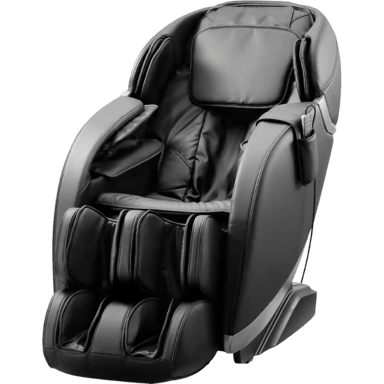

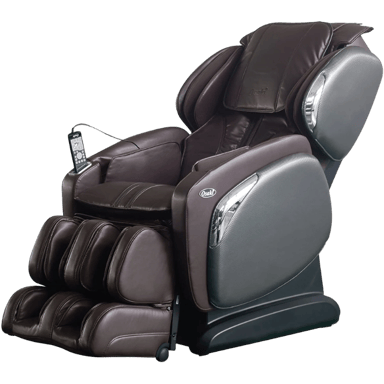
 0
Cartling
0
Cartling